Once you have completed the video inspection of all modules and stages, it's time to process the findings and add measurements where necessary. Start by accessing the Inspection Overview Screen within the Aiir application and on clicking the 'Review' icon (as show in below image) or the file name corresponding to the module you want to inspect.

You will be navigated to Module-Stage detail view where you have 4 key tabs available providing various options to process your inspection.
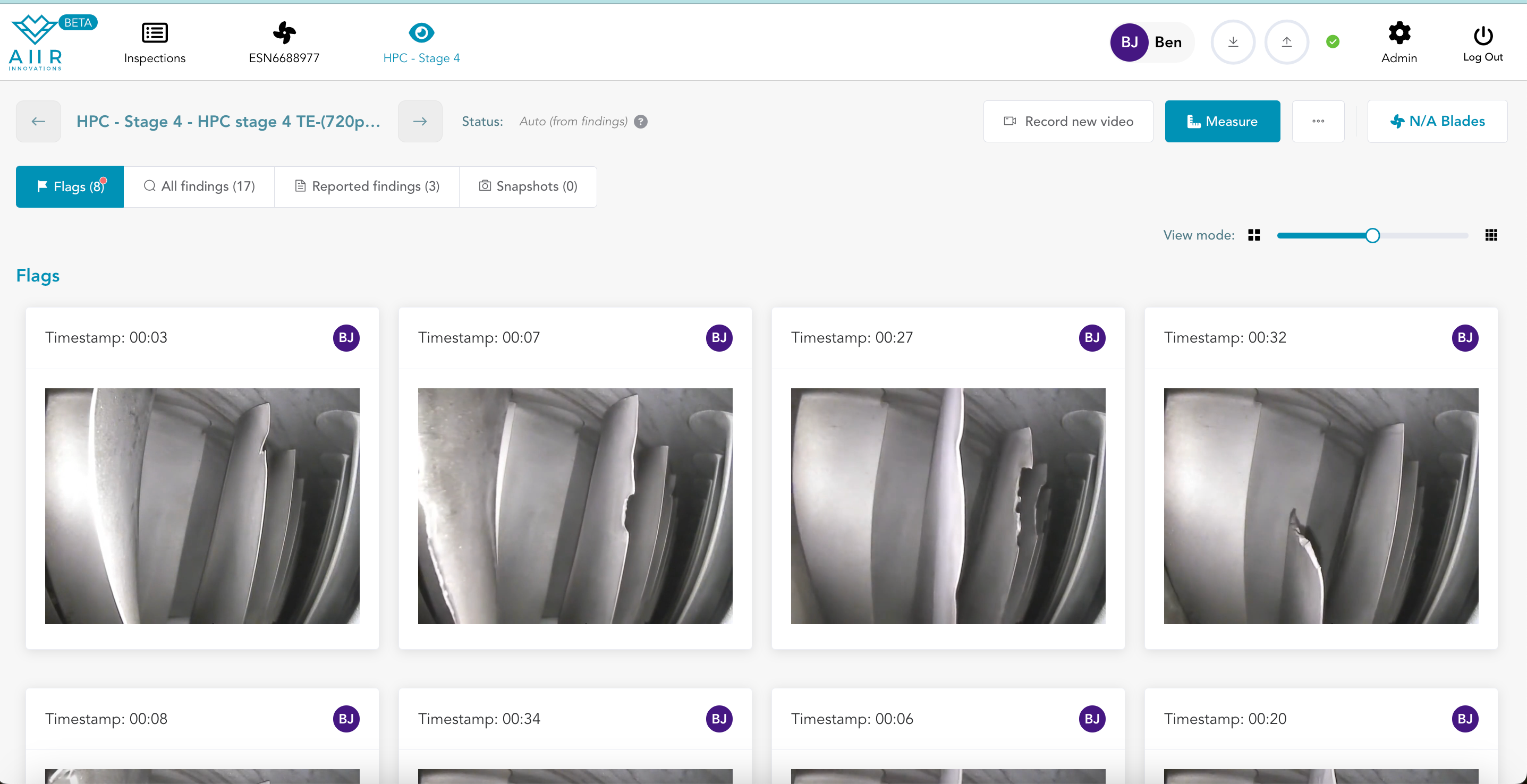
You can do following operations on the above screen :-
Flag Review
Reviewing flags created during inspection
AI Finding Review
Reviewing AI generated suggestions
Reported Findings
Including Findings In the Inspection Report
Snapshots
Creating Engine condition photos or Snapshots
Adding Measurement Images
Attaching Measurement Images to the reported Findings
Additional Operations
Actions on A Viewpoint
