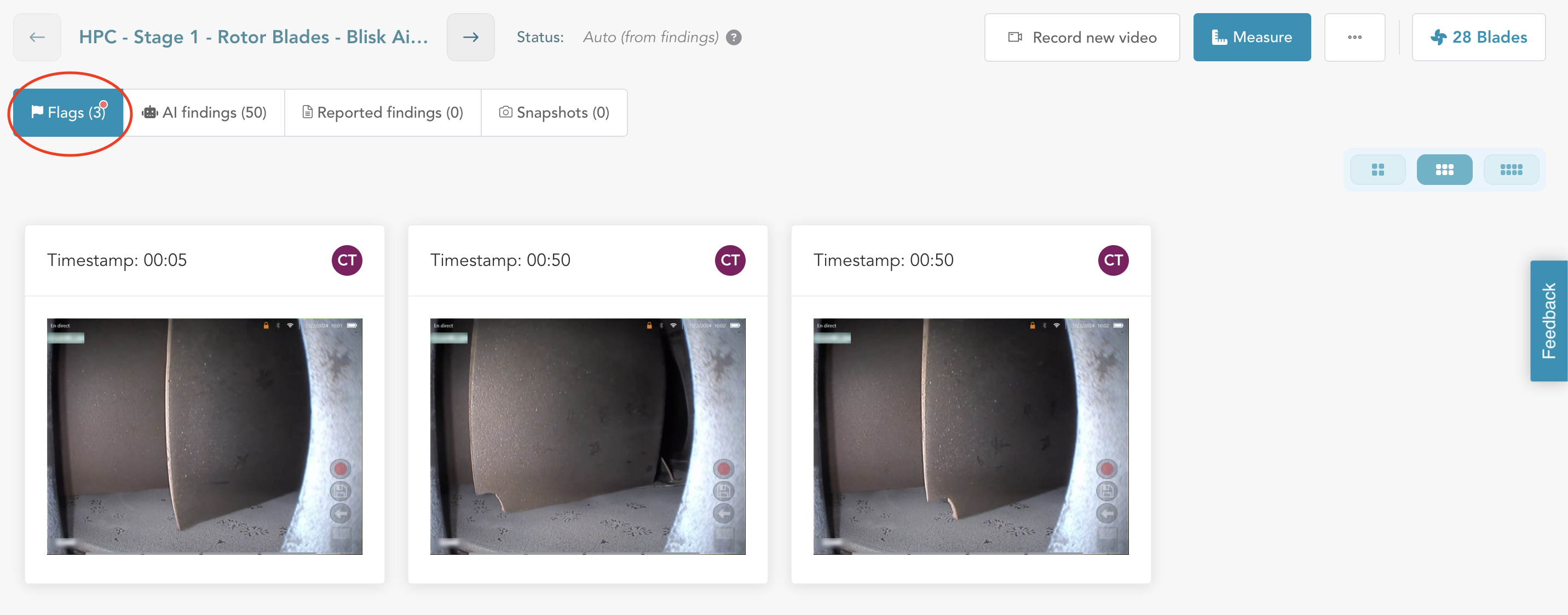
The first tab on this view is 'Flags,' which presents a gallery view of all the images/observations you flagged during the inspection recording. This section provides you with the opportunity to review, process, and take action on each flagged item.
Follow the steps below to effectively process flags:
Access Flags : Flag tab shows the count of flags and enables you to review flags in thumbnail view. You can increase the size by sliding the ‘View mode’ options. Begin by clicking on any thumbnail in the 'Flags' tab to open it in detailed mode.
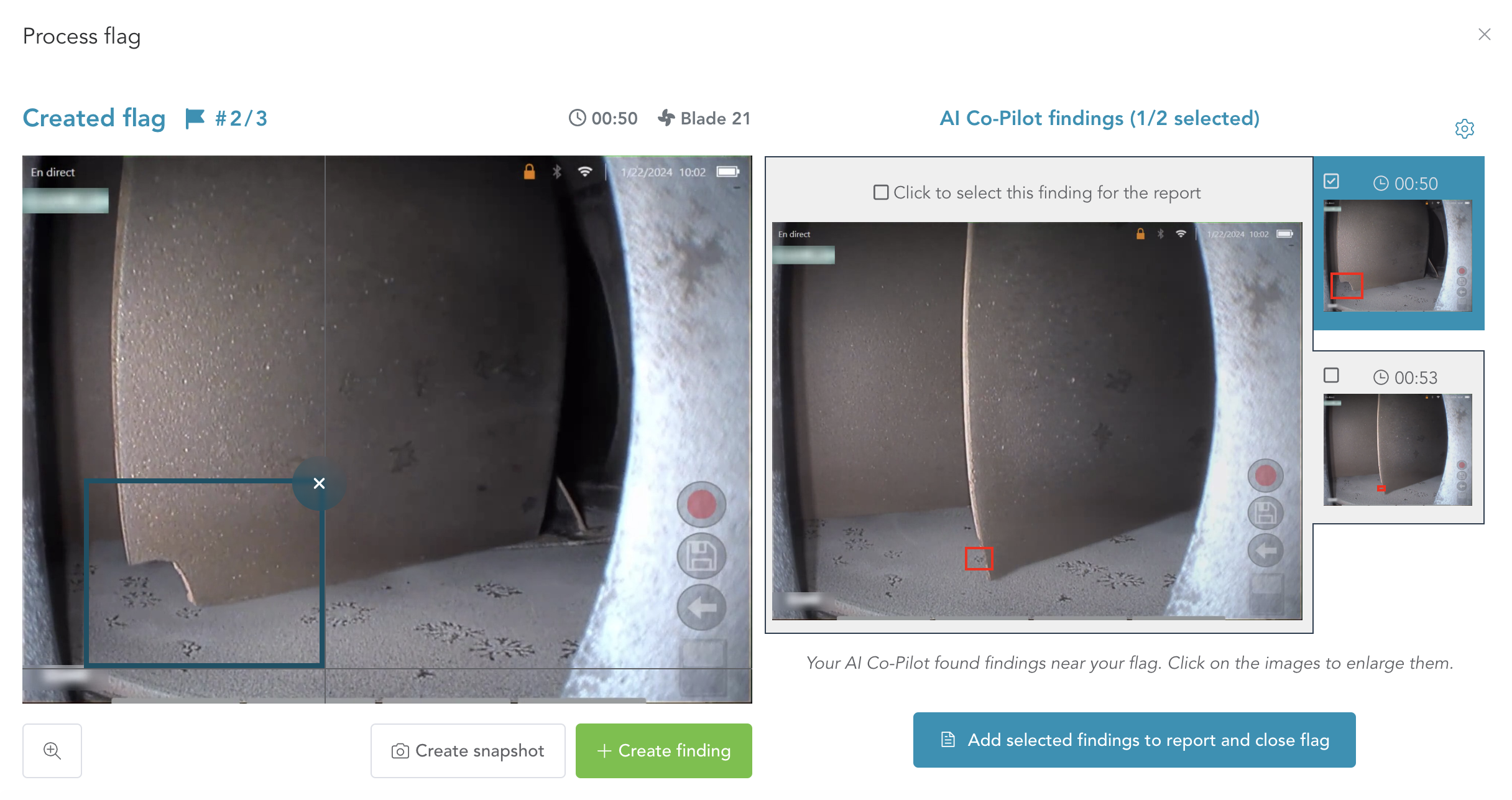
Review AI Suggestions: On the left side of the detailed view, you'll see the flag you created. On the right side, you'll find a set of suggestions made by Aiir AI Co-pilot for potential defects or areas of concern that you might have seen during the inspection. Aiir AI Co-pilot captures frames a few seconds before and after the flags. The selected frame has a blue border and the image is shown in the center.

Add Selected Findings to Report & Close Flag: You can select the frame that seems most relevant by clicking on the ' against the thumbnail and click on the 'Add Selected Findings to Report & Close Flag' button. This action will shortlist the finding to be reported and display it under the 'Reported Findings' tab. You can select and add one or more findings to the report by clicking on the checkbox next to each suggestion.
Create Your Own Finding: If you disagree with the AI suggestions, you can draw your own bounding box around the defect on the left image. Once you've drawn the bounding box, the 'Create Finding' button will become active, allowing you to convert the flag into a finding.
Create Snapshot: To include an image as a snapshot or state of the engine module without reporting it as a finding, click on the 'Create Snapshot' button. This will close the flag and add the image to the 'Snapshots' section.
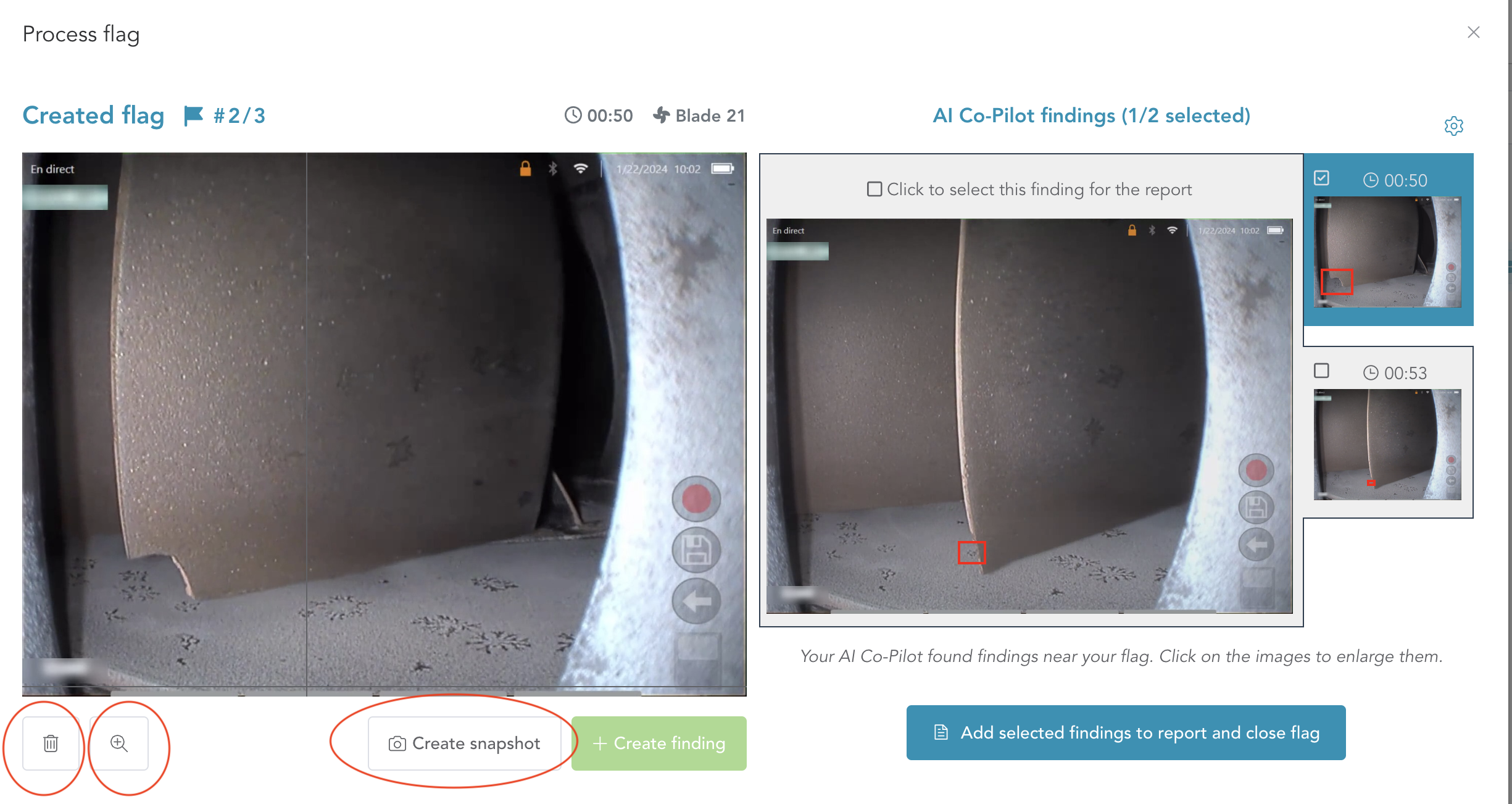
Discard Flag: If you decide not to report or create a snapshot for a flag, you can click on the 'Discard Flag' (Refer above image) button to close it and move on to the next flag.
Process All Flags: Repeat these steps for all the flags created during the inspection. Ensure that each flag is appropriately reviewed and addressed.
Once you have processed all the flags, you can move on to 'All Findings; tab to review all the suggestions made by Aiir AI Co-pilot.
