We’ve been working closely with all of you to improve performance, streamline workflows, and deliver a more reliable experience with Aiir.
This page highlights the key product updates and enhancements released in the first half of 2025 — all aimed at making inspections faster, reporting easier, and collaboration smoother.
Explore the list below to see what’s new, what’s improved, and how it can help your team work more efficiently with Aiir.
You can now pause an inspection recording mid-way and attach measurement images to a flagged defect — all without completing a full engine rotation or uploading measurement images later.
This is especially useful for hot section inspections or hard-to-revisit areas where making another pass to locate a defect is difficult or time-consuming.
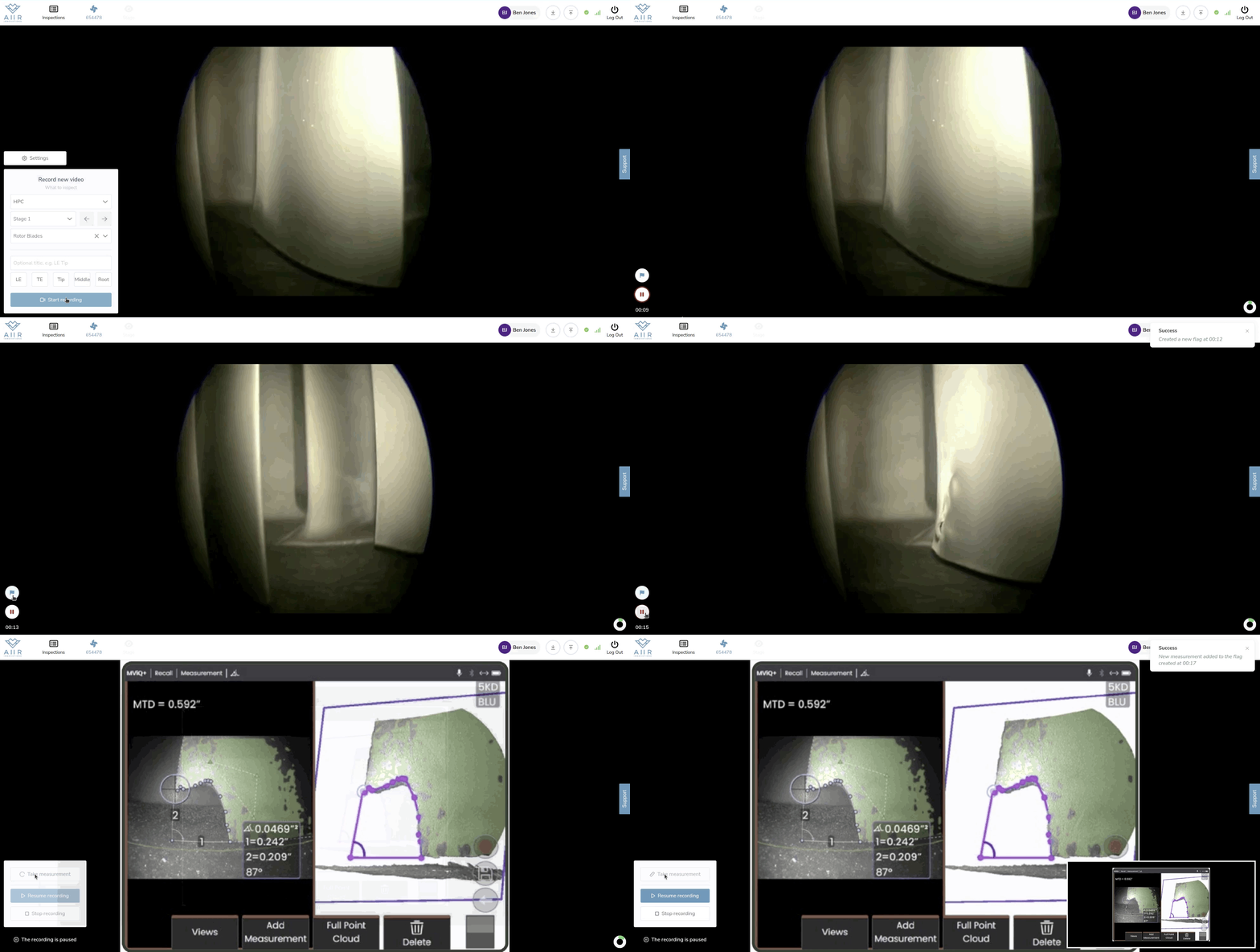 New Inspection Recording Interface |
👉 Learn how it works in this quick guide: Pause & Measure Guide
We’ve also enhanced our blade-counting algorithm and indicator, making it more accurate & intuitive during live recording.
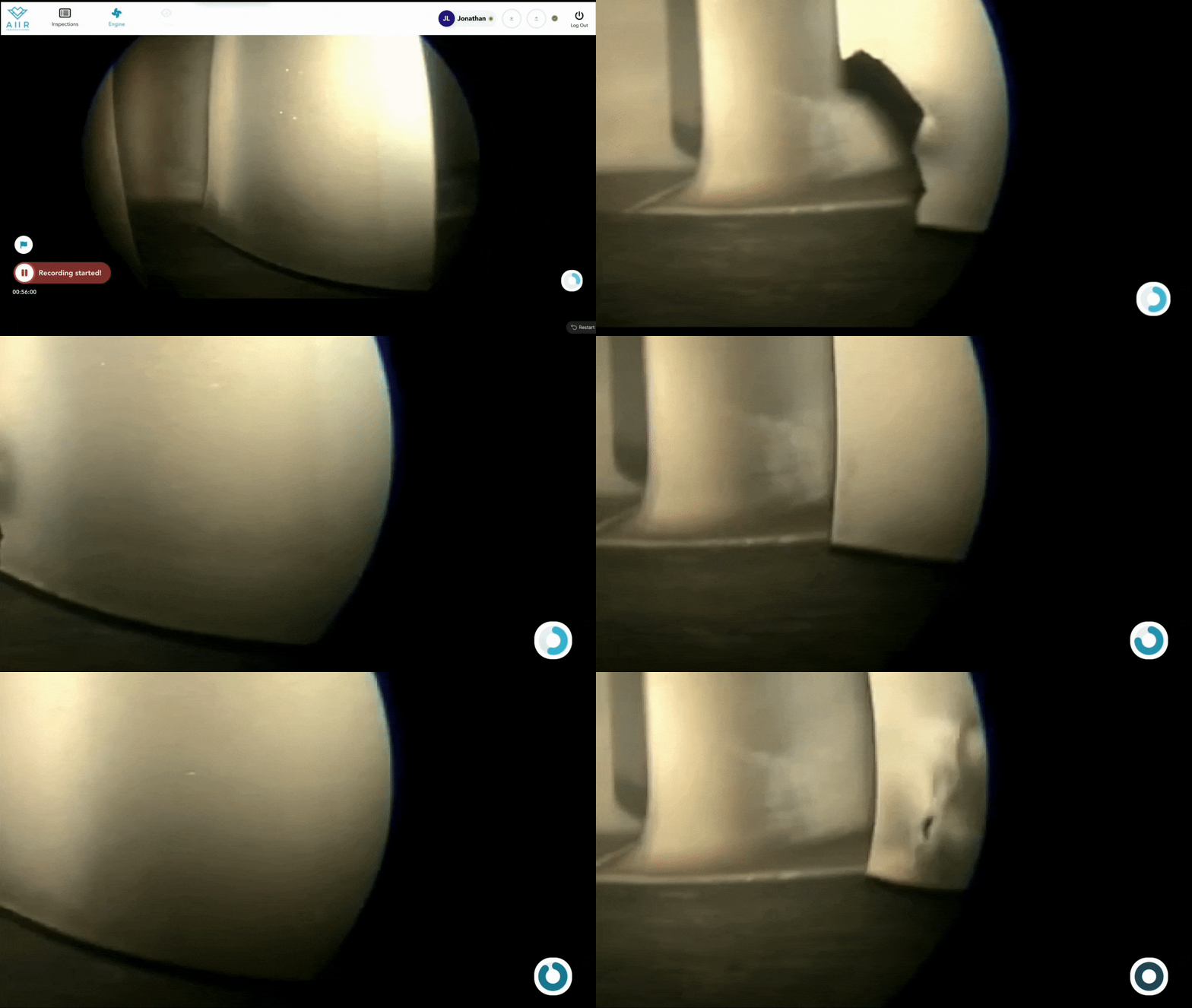 |
The indicator fills in blue as engine blades rotate, and turns red once a full rotation is likely complete — becoming a helpful AI- Inspection buddy that tracks blade coverage for you.
🎯 Give it a spin and let us know what you think!
You can now easily play back video directly from a flag card using the new “Playback” icon.
Playback starts 3 seconds before the flagged timestamp and stops at the flag itself.
Playing again then continues for another 3 seconds beyond the flag before automatically starting back the loop.
You can also select your preferred playback speed, allowing for more controlled reviews.
This feature helps you review flags more accurately and efficiently before deciding whether to report them as findings.

Each flag card now features a “Convert to Snapshot” icon, enabling you to add condition photos directly—without opening the full card.
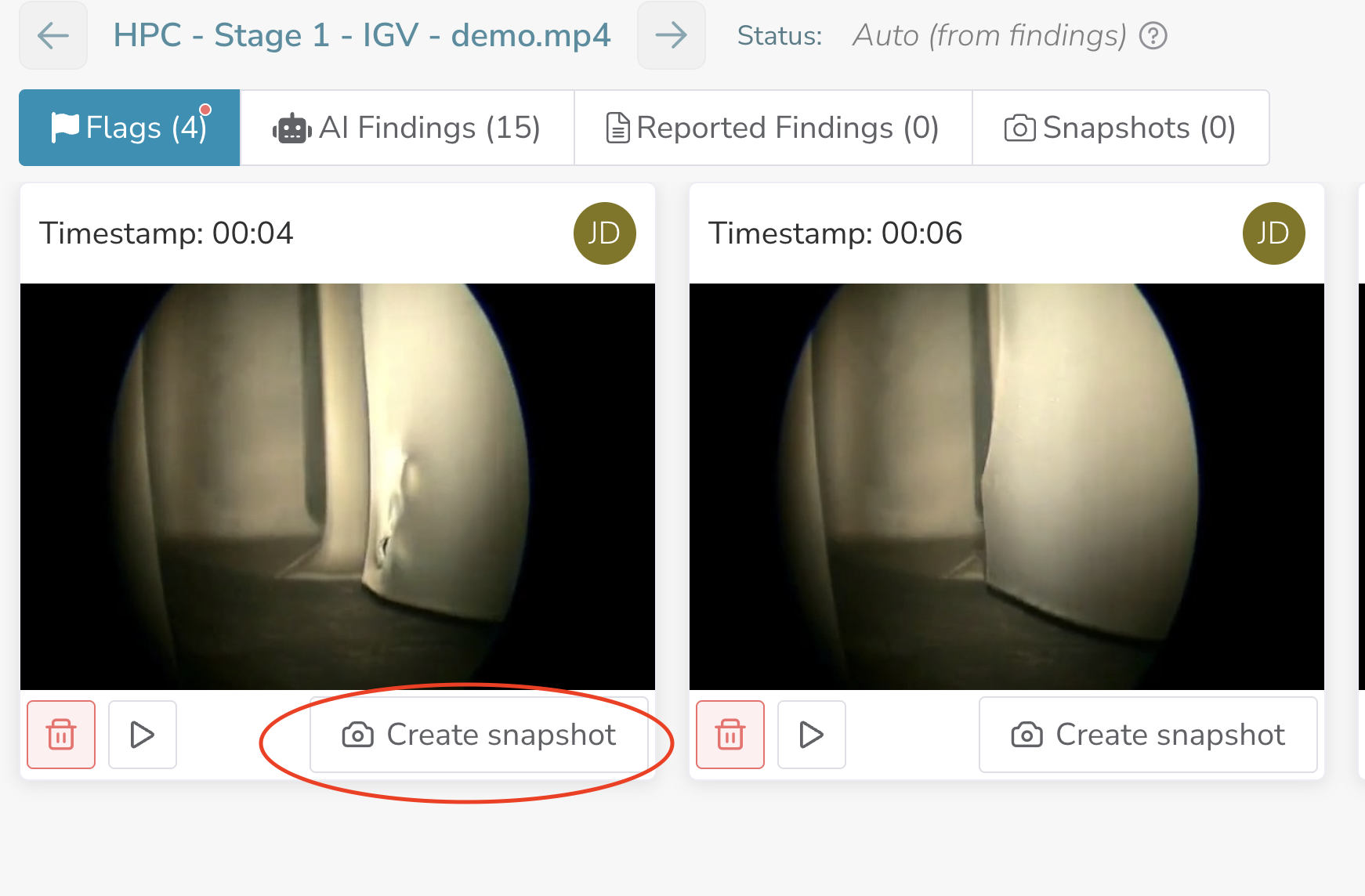
This speeds up the process of capturing and documenting engine condition photos.
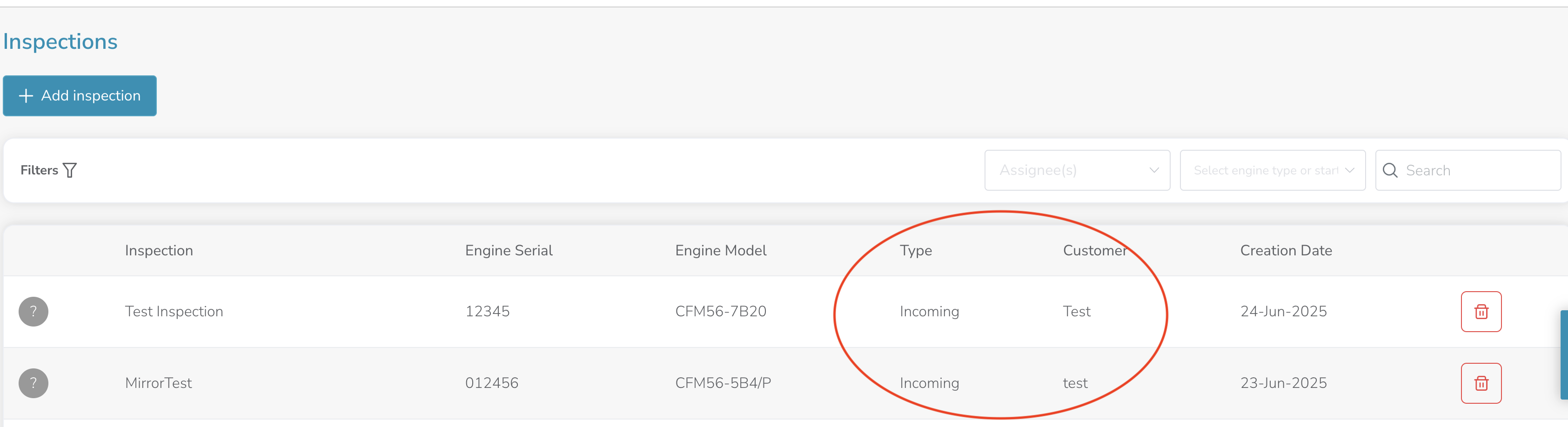
🆕 The inspection list now includes two new columns:
Inspection Type
Customer
This small change makes a big difference—now you can quickly identify the inspection you need without opening each one. Especially helpful if you have multiple teams working across different sites.
Reviewing AI findings just got easier! You can now:
• View all AI findings in a grid/thumbnail view, whether sorted by relevance or timestamp.
• Switch to a new Card View to review findings one-by-one, giving feedback to your Aiir Co-Pilot on whether to keep or ignore them—without losing sorting preferences.

This gives you more control over how you would like to review the AI findings, and train your AI co-pilot efficiently when you would like to.
🔤 New System Font for All Users
We’ve upgraded our default system fonts across the platform! The new fonts offer better clarity and work seamlessly even if you use browser translation tools—giving you a smoother, more polished experience everywhere.
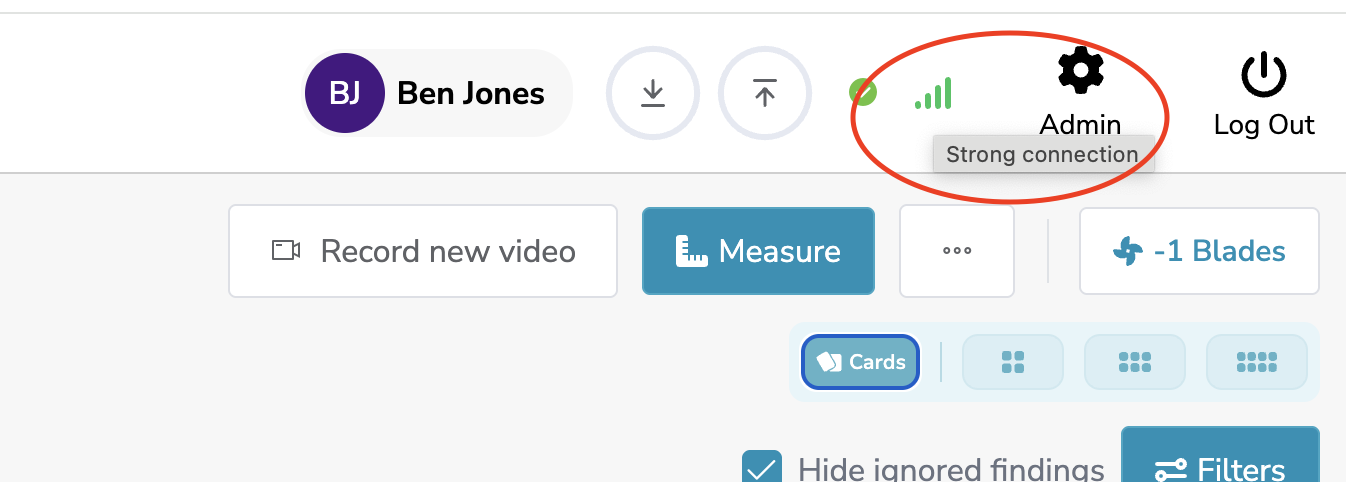
We’ve added a connection strength icon right next to your name. Now you can easily check your network status and understand if any issues you’re facing are related to connectivity.
📋 Dispositions Now Visible on Reported Findings
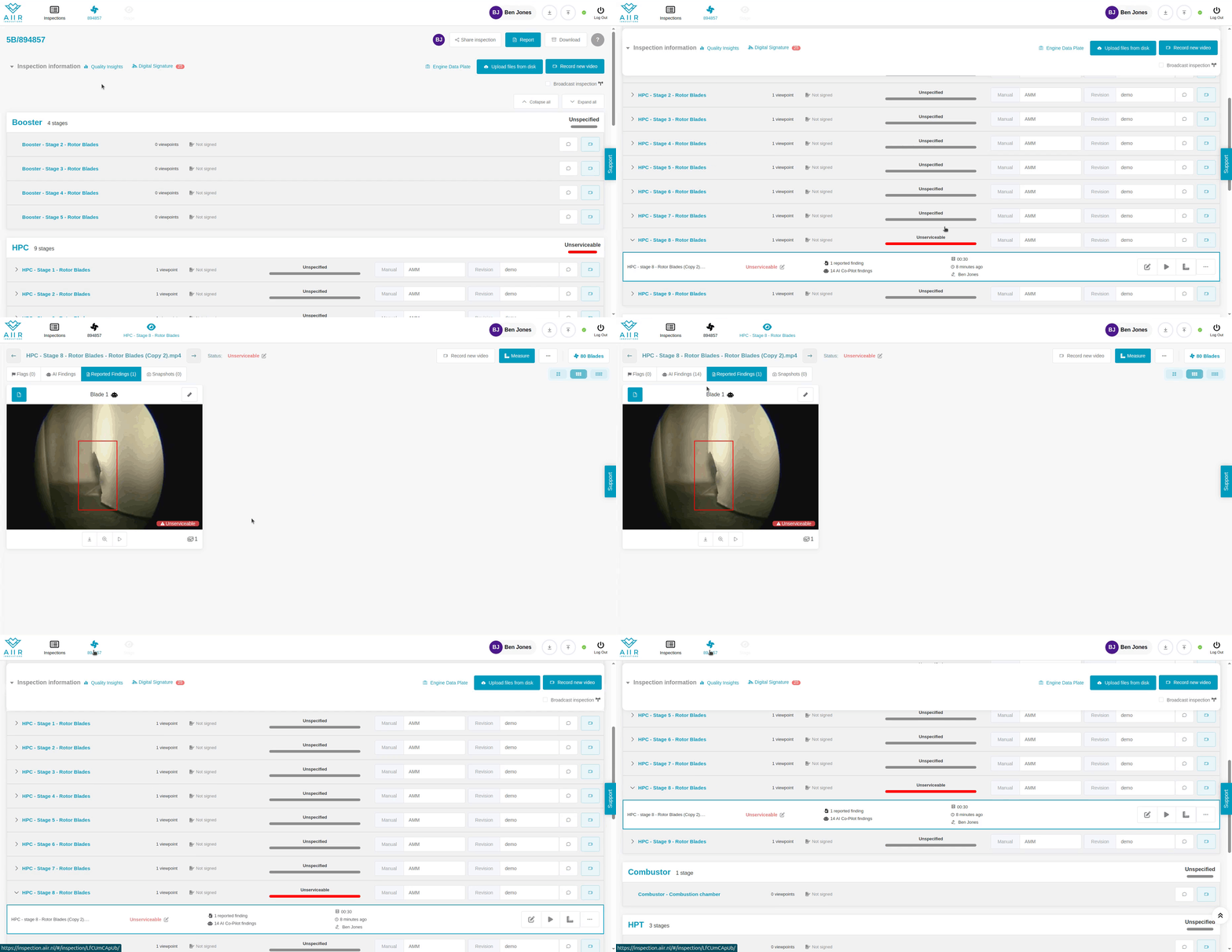
Now you can quickly identify “Unserviceable” or ”Limited Serviceable” findings at a glance! The disposition of critical reported findings (e.g., unserviceable) are now displayed in the thumbnail view. This helps you distinguish between serviceable findings (that have no disposition tag) vs critical findings that have disposition tags, eliminating the need to open each one individually to find the disposition.

🔎 Easy Navigation to the Last Recorded Video
Navigating back/from Inspection overview just got easier! Now, when navigate from the Inspection Overview to review a finding or go from recorded viewpoint to the overview, Aiir will automatically navigate you to the last visited/recorded viewpoint, avoiding the need to scroll down and find the viewpoint you were working with. This should make the navigation must faster and easier. Let us know if this helped.
🔐 Secured Bulk Downloads
We’ve strengthened the security around downloading inspection data. Now, when you receive a download link via email after requesting download, authentication is required before accessing the files. This means that only the intended user can download the data, preventing any unauthorized access through forwarded links.
User Roles.
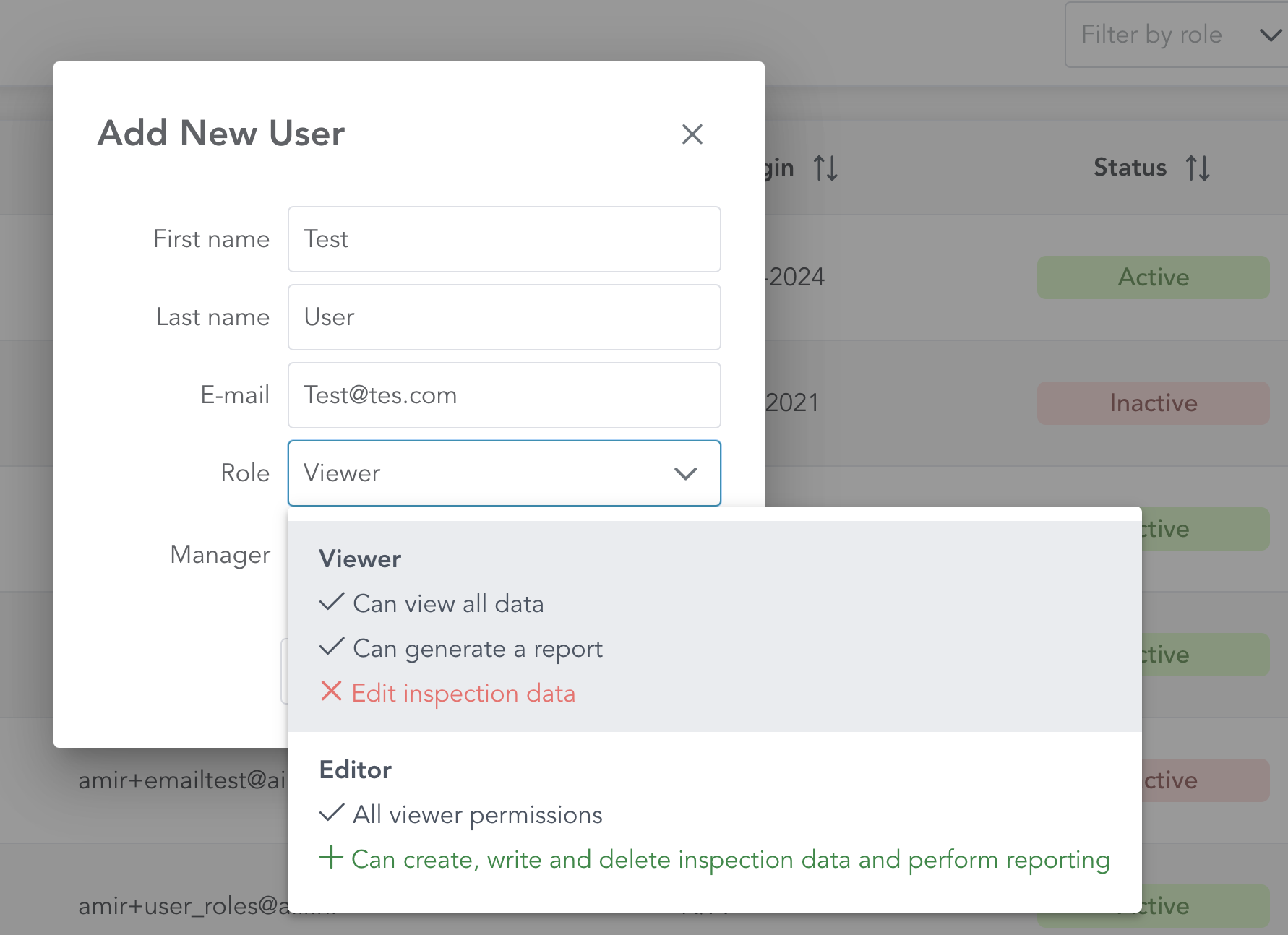
With this enhancement, Aiir admins can now assign specific roles to each user at the time of creation—or modify them later—to better manage how your team interacts with inspection data.
Here’s what’s new:
Modified User Creation/Modification View :- Enabled Aiir admins to assign a ‘Role’ while creating new users or while modifying users.
Following roles can be assigned:-
Viewer Role: Users with this role can view all inspection data and generate reports. However, they cannot edit or delete any inspection data, ensuring no accidental changes that could invalidate digital signatures.
Editor Role: Users with this role can view, edit, and delete inspection data as needed. This role mirrors the default permissions we had before.
We recommend setting the Viewer role for users who don’t require editing capabilities. This will safeguard your data while ensuring a smooth workflow. Read more on how to do it here.
🛠 Other Improvements & Fixes
Overview Screen: Improved performance and loading behavior — the “Signature not valid” message no longer appears unnecessarily.
Disposition Auto-Update: Disposition is now automatically set for a viewpoint once findings are completed — no need to reload the screen.
General Fixes: A range of small performance improvements and bug fixes across the platform.
These updates are all aimed at making your inspections faster, smarter, and more reliable.
As always, thank you for the feedback that helps shape Aiir — and stay tuned for more improvements coming soon! 🚀
