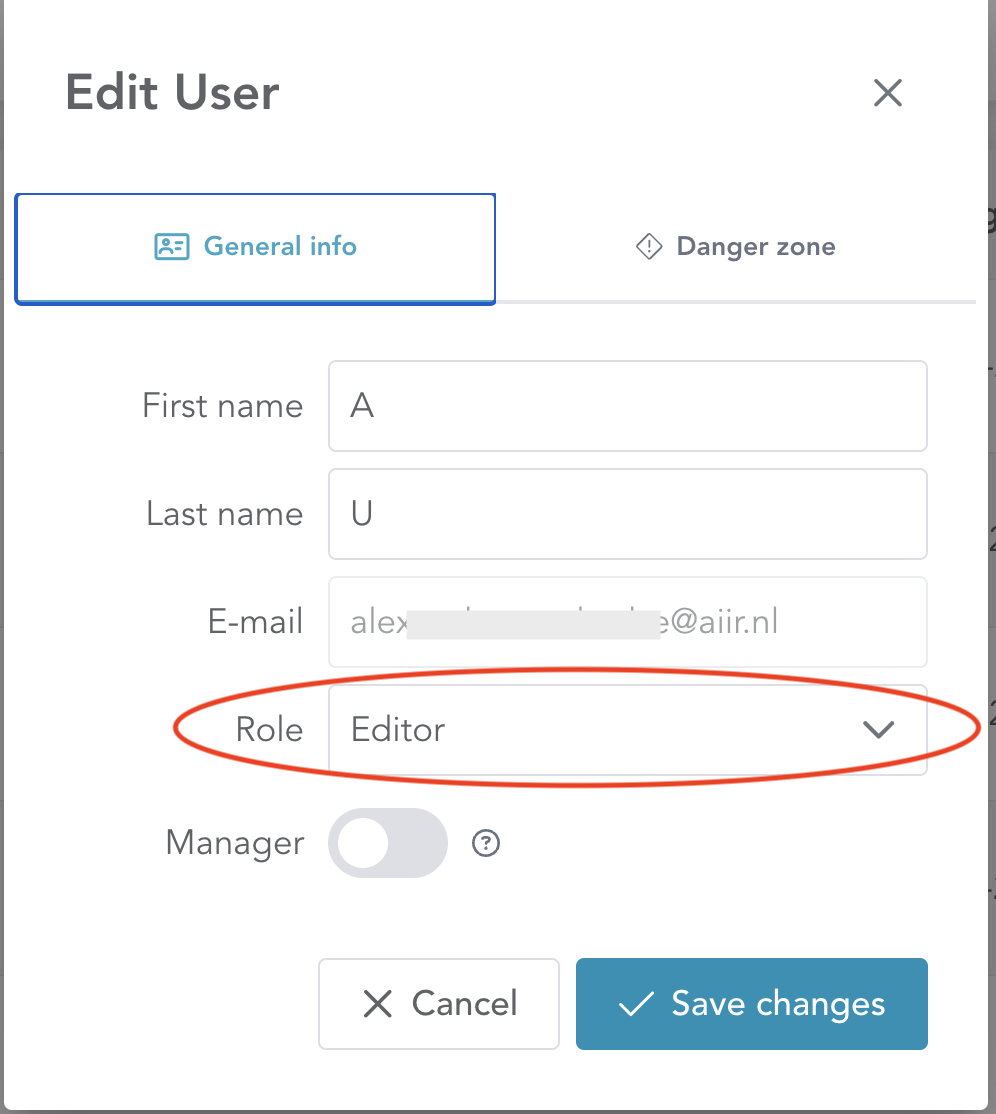
User Roles in Aiir allow you to control how users interact with inspection data, enhancing security and minimising the risk of accidental changes. There are two main roles available:-
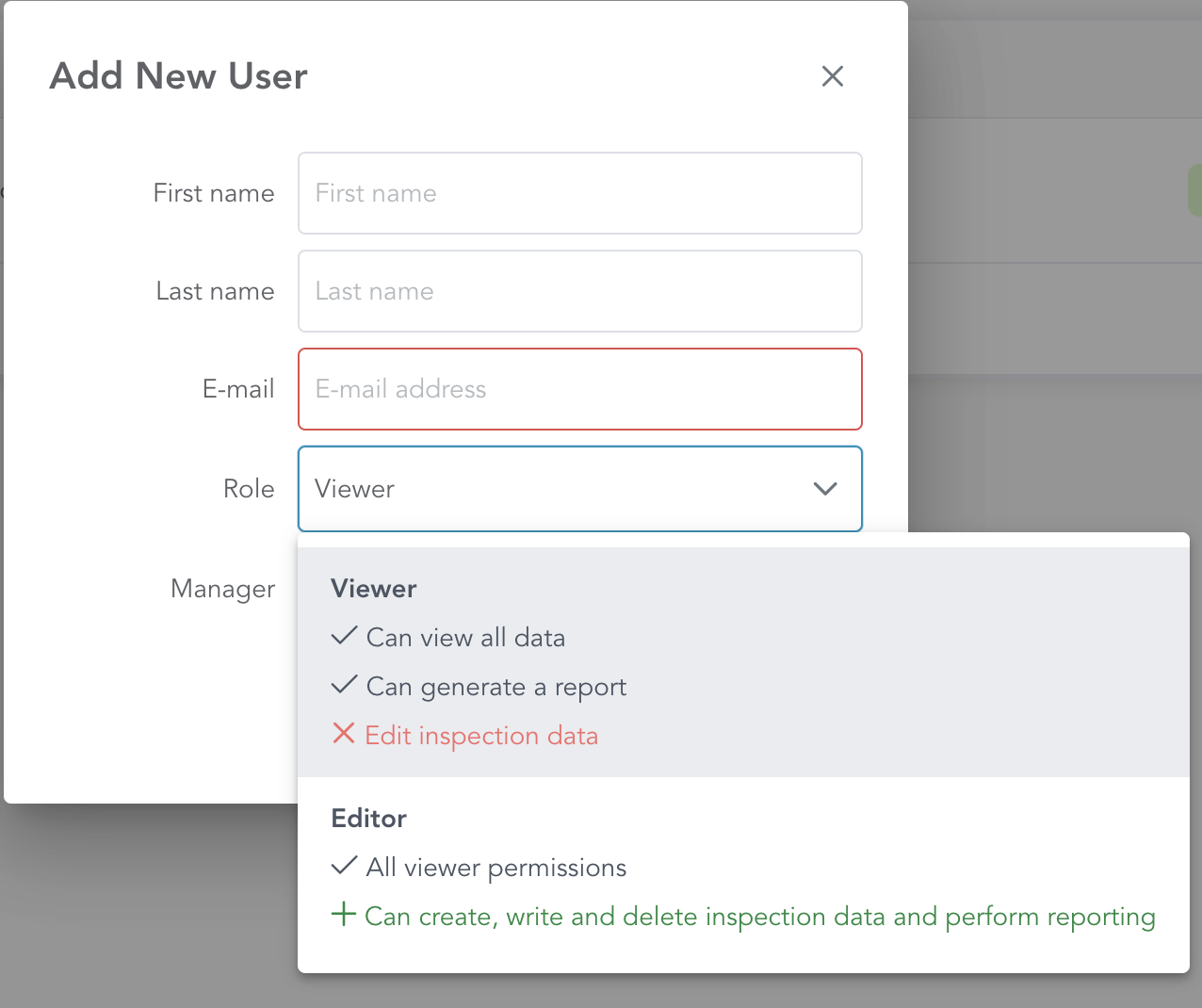
Ideal for team members who only need to review data or generate reports without making changes.
✅ Can view all inspection data and generate reports
❌ Cannot edit or delete inspection data
ℹ This is the default role assigned when a new user is created (unless edited during setup).
For users responsible for creating and executing inspections
✅ Can view, edit, and delete all inspection data
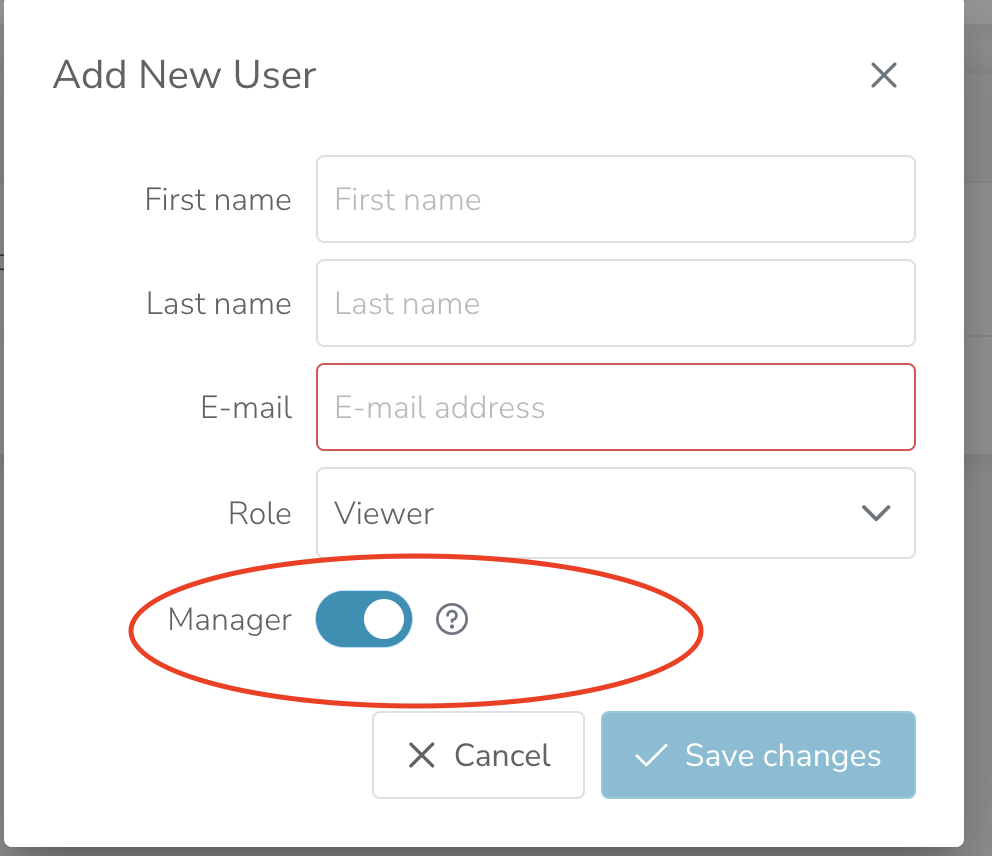
In addition to the above roles, you can also enable the “Manager” right during user creation.
🛠 Allows the user to create and manage additional user accounts
🔒 Does not change their core role permissions (e.g., Viewer, Editor, Admin)
✅ Useful for delegating user management without granting full Admin rights
1. Roles can be assigned while creating a new user using the ‘Role’ selection dropdown during adding/modifying users:-
Adding/Deleting Users
Adding or removing users from Aiir platform
For existing users, one can click on ‘Edit’ button in the user list, to modify their roles.