Many of Aiir users have access to shared devices. To ensure that your account is optimally secured, you can add an extra layer of security to your account. To do so, you can set up something called Two-Factor authentication.
Two-Factor authentication means that you need a password and one other form of input to log into the Aiir Platform. In this case, you need an application on your phone which generates a 6 digit number for you to access your account, after filling in your password. One of these apps could be Google Authenticator or any other one that you or your organisation already uses.
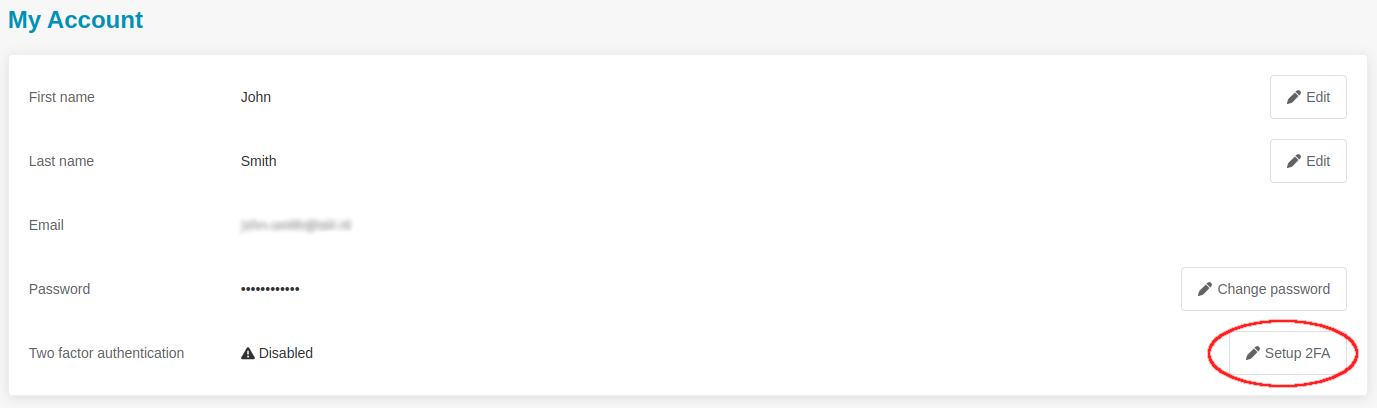
To set up Two-Factor authentication, move to your account information by clicking on your name on the top right of the platform.

From here, you can set up Two-Factor authentication by clicking on the button Setup 2FA .
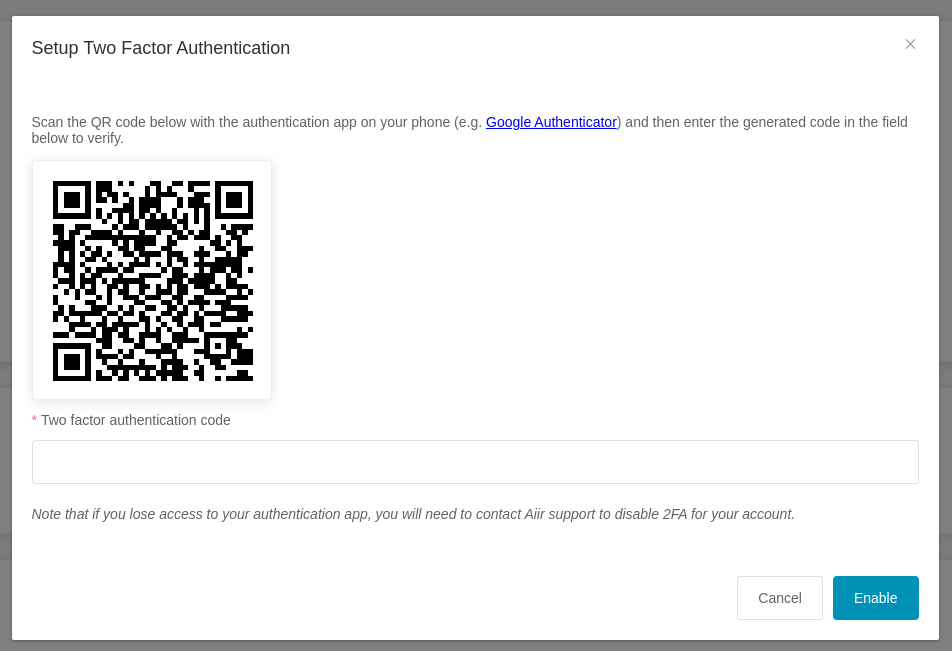
This will open a window that allows you to set up Two-Factor Authentication. Open your authentication app on your phone click Create new account. Scan the QR code and follow the steps to set up the new entry in your authentication app. Fill in the number that is shown in your app into the Aiir Platform. Now, Two-Factor authentication is set up and required to access the Aiir Platform.
If you can no longer access your authentication app, reach out to your organisation’s Aiir Administrator for support.
