To use the Aiir Platform during inspections it is necessary to connect the borescope to your device, which can be either a computer set up or an iPad.
The following system requirements should be met when using a laptop or desktop computer:
4 GB RAM
30 GB free space on SSD
i5 CPU or higher from 2022 or later
A graphics unit that allows you to watch movies comfortably
Stable internet connection required, at least : 10mpbs connection, latency of 100ms and good WIFI coverage in work/inspection areas.
At least two USB 3.0 USB port or higher
The following system requirements should be met when using an iPad:
iOS 17 or higher
Ensure that your device supports external camera inputs
The device has a USB-C connector
Aiir supports all major modern web browsers including Chrome, Safari and Microsoft Edge. Please note that Mozilla Firefox is currently not supported due to compatibility issues.
To connect your borescope to your device, the following equipment is required:
A Capture card
Magewell HDMI Gen 2, for borescopes with HDMI and DisplayPort outputs
Magewell DVI Plus with VGA to DVI converter, for borescopes with VGA outputs
A video cable to connect the borescope to the Capture Card
We recommend a cable length of at least 3 meters, to support your inspection setup.
A USB 3.0 cable to connect the Capture Card to your device
This is provided along with your chosen Capture Card
Optional:
A USB presenter to use as a remote to control the Aiir Platform
A USB-C hub to connect your device
The continuous power supply to the iPad ensures that the capture card can be powered and that the video stream is stable.
If you decide to use a different USB hub, please make sure that it is compatible with iPads. If this is not the case, you could potentially damage your device.
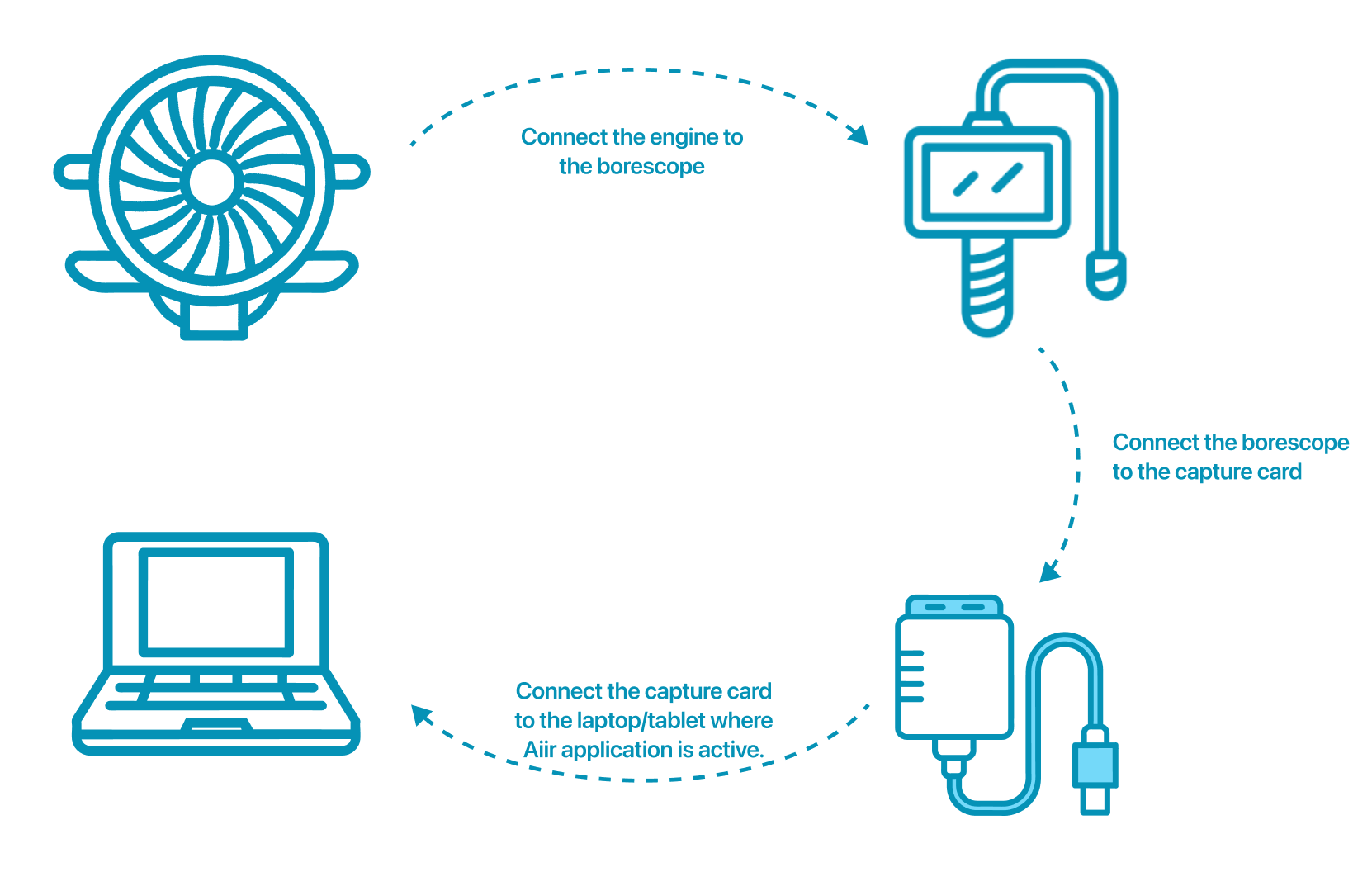
Connect the borescope to your Capture Card from Steo p using your video cable from Step 2. Connect the Capture Card to your device using the USB cable from Step 3.
To simplify communication with the Aiir Platform, connect the USB presenter to your USB hub as well.
If you are using a USB hub, you can connect the Capture Card and presenter to the USB hub
Borescope | Capture card (CC) | Cables |
GE Visual IQ (Grey) (Waygate)  | Connect CC to scope Connect CC to iPad Connect CC to computer | |
GE Visual IQ (Flame/Orange) (Waygate)  | Connect CC to scope Connect CC to iPad Connect CC to computer | |
Waygate Visual IQ+  | Connect CC to scope Connect CC to iPad Connect CC to computer | |
Olympus G-lite Type IV9420GL  | Connect CC to scope Connect CC to iPad Connect CC to computer | |
Olympus IPLEX NX  | Connect CC to scope Connect CC to iPad Connect CC to computer |
