To initiate a new inspection, follow these steps:
Navigate to the 'Inspection List' using the 'Inspection' icon at the top of the Aiir application.
Locate the 'Add Inspection' button to create a new inspection. You can find it at the top-left corner of the application interface (refer to the image below).
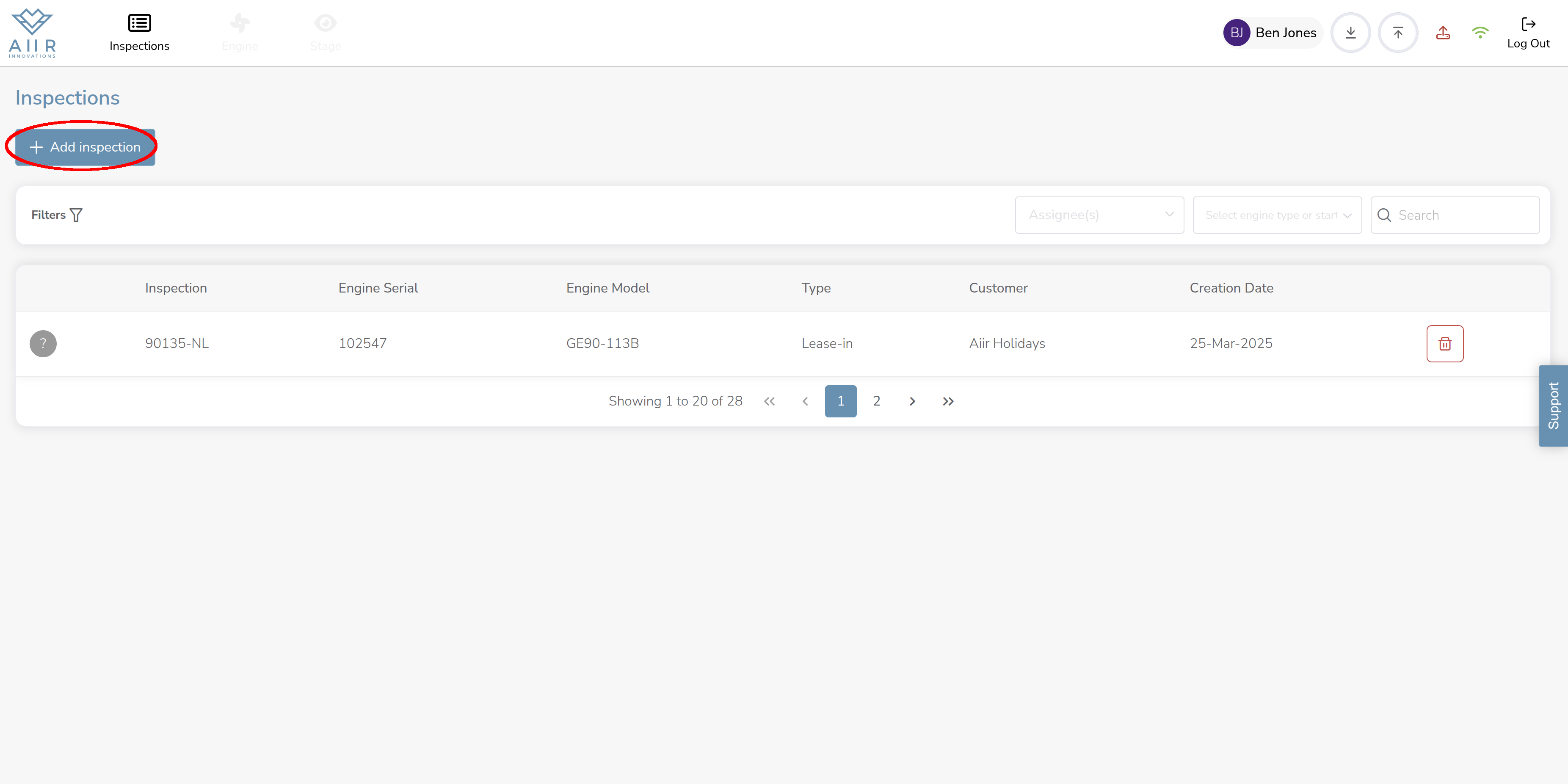
Click on the 'Add Inspection' button to open the new inspection creation form.
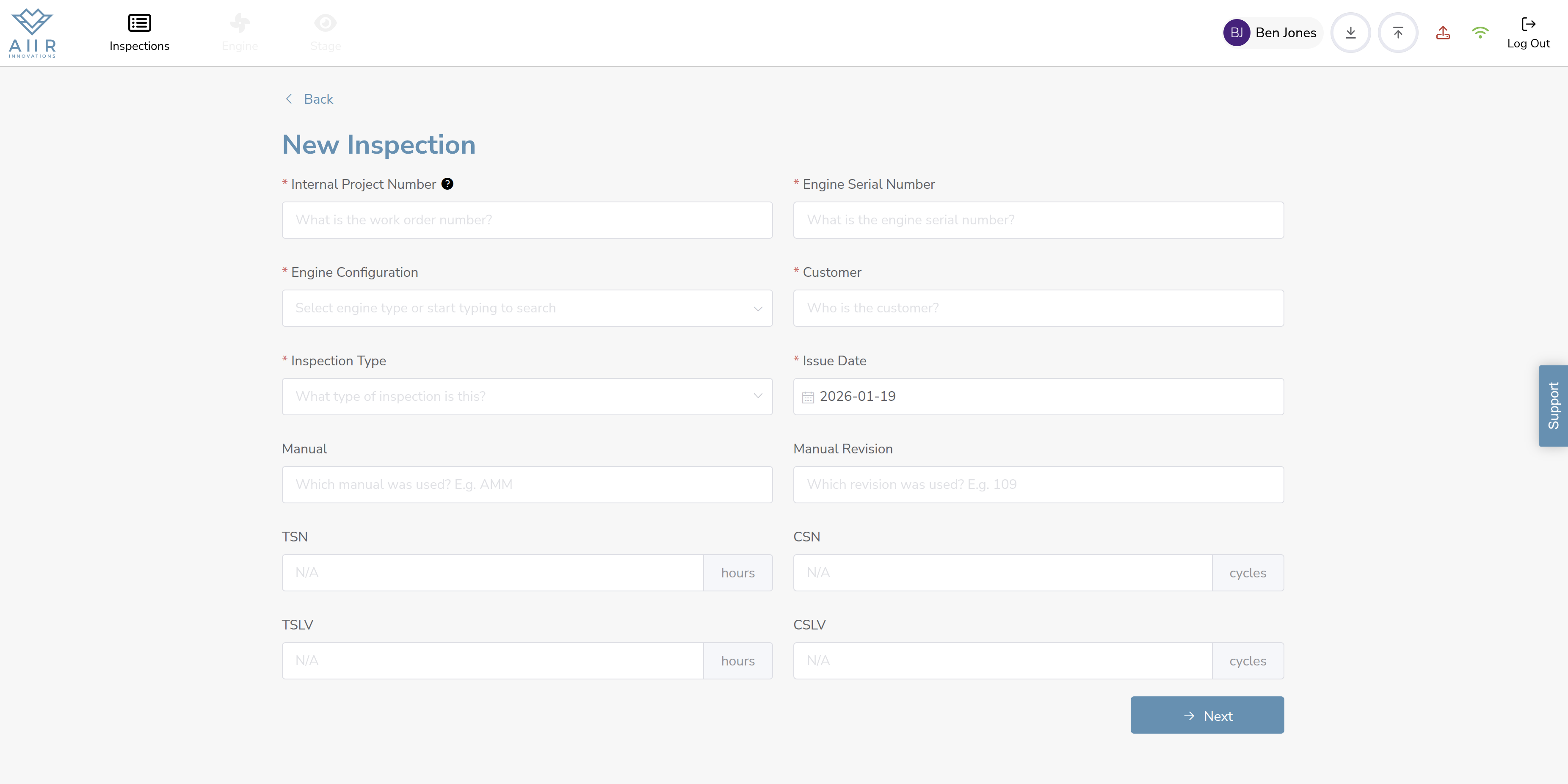
Enter Inspection Details: You will be presented with a screen where you can enter the required information to create a new inspection record. Refer to the table below for details on the information to be entered.
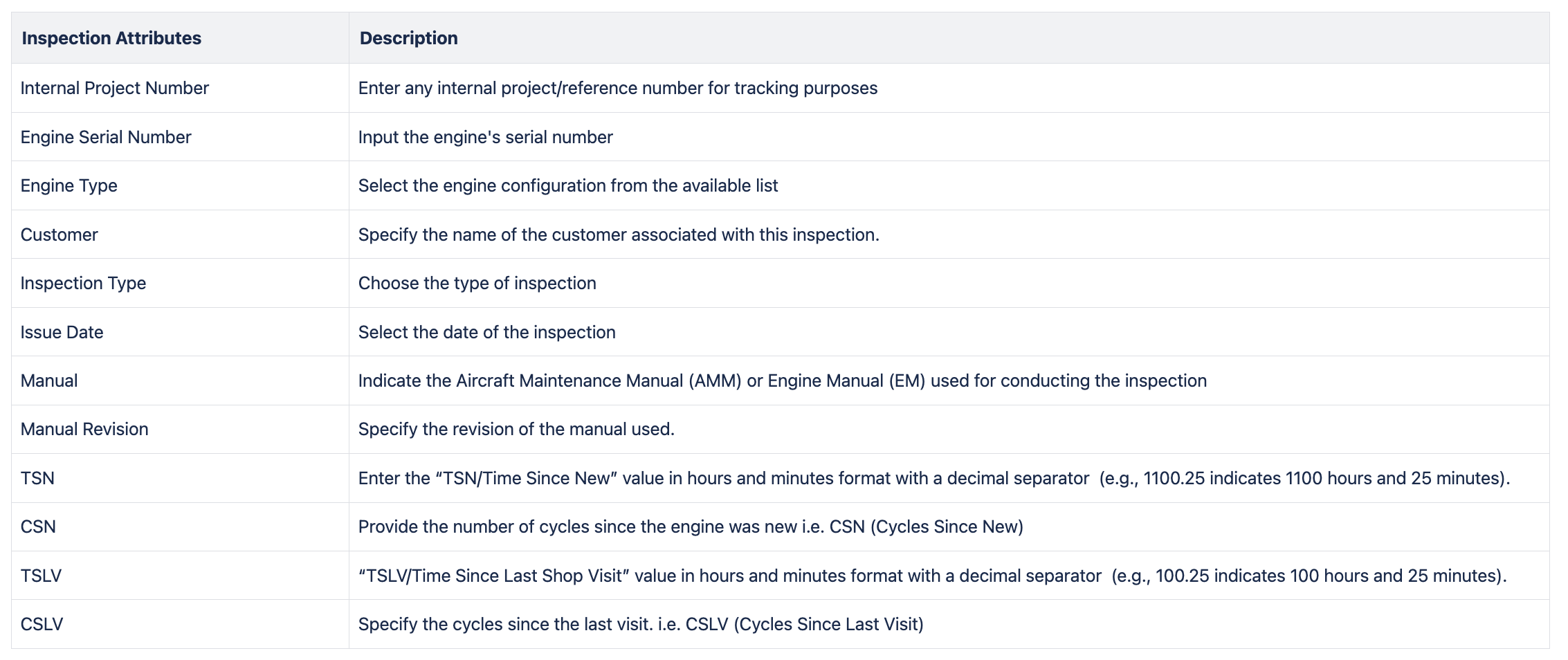
Complete Inspection Information: Fill in the necessary information accurately to create a new inspection record.
Click on ‘Next’ button to define the scope of inspection
