Adding a digital signature is the final step in the inspection process, confirming the authenticity and approval of the results. Your digital signature signifies that you have reviewed and accepted the inspection findings. It serves as a crucial element in ensuring the integrity and accountability of the inspection data. Here's how to add your digital signature securely:
Here's a step-by-step guide on how to achieve this:
Navigate to the Inspection Overview: Start by accessing the "Inspection Overview" within the Aiir application. Here, you will find a summary of all the modules and stages that have been inspected, along with their respective status. Take a moment to review these details and ensure their accuracy. If needed, you can set the status for each stage here.
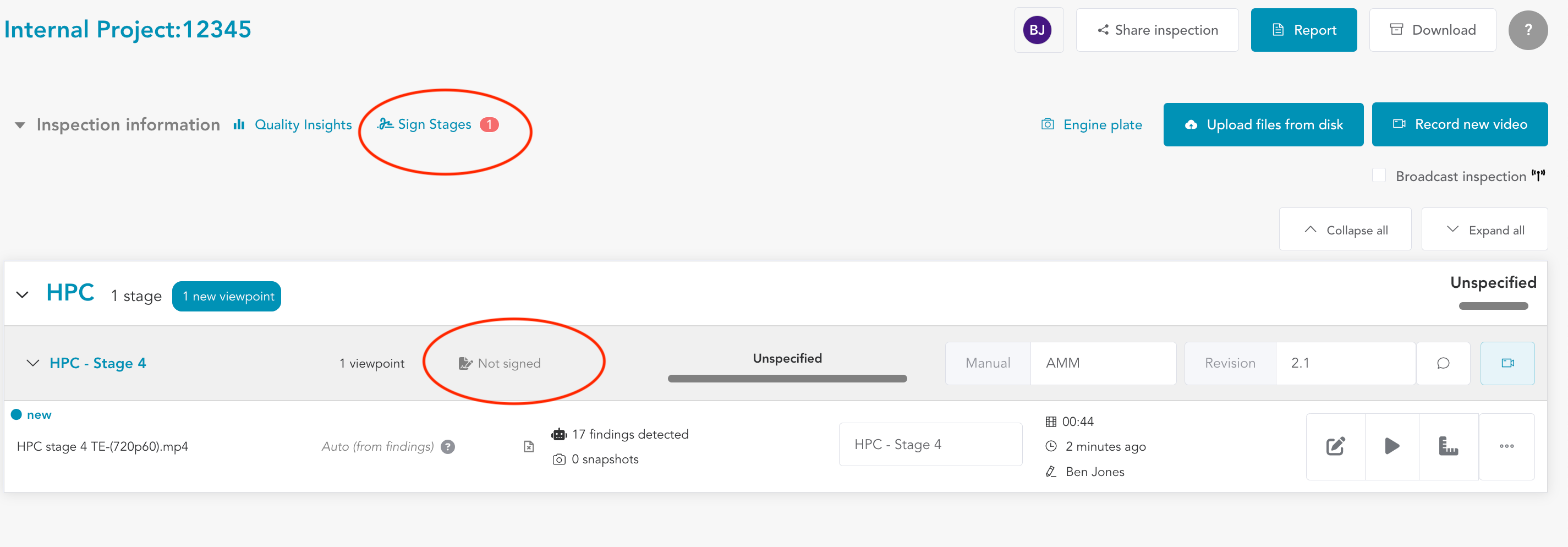
Signing Stages: Click on the 'Sign Stages' button located in the overview tab. This action will redirect you to the inspection signature screen.
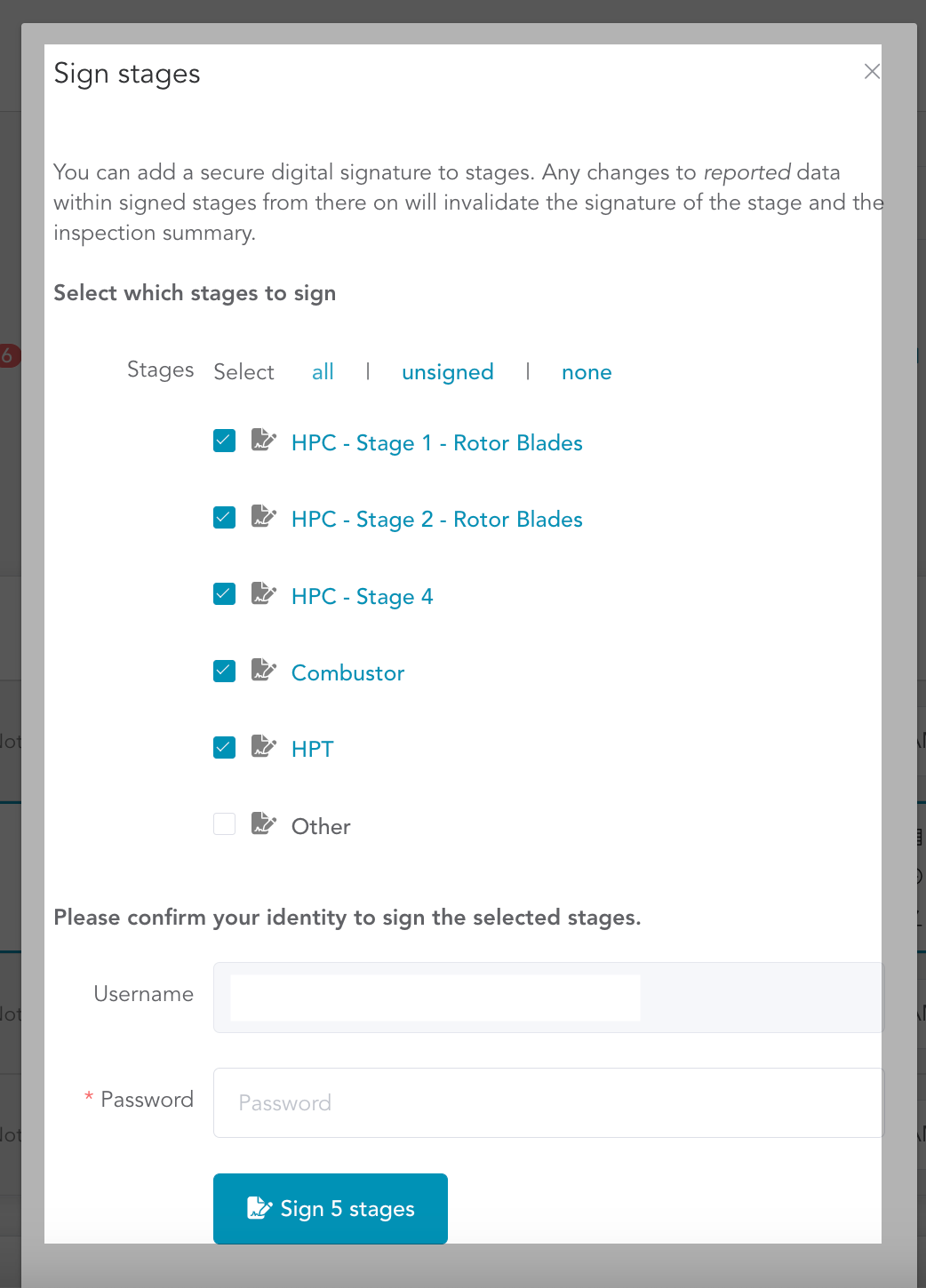
Select Stages to Sign: In the inspection signature screen, you have the option to select all the stages at once or choose specific stages that you have personally inspected. After making your selection, click on 'Sign x Stages' to proceed.
Authentication: To validate your digital signature, you will be prompted to authenticate yourself. In cases where two-factor authentication (2FA) is enabled for your organization, you will need to complete this additional step for enhanced security.
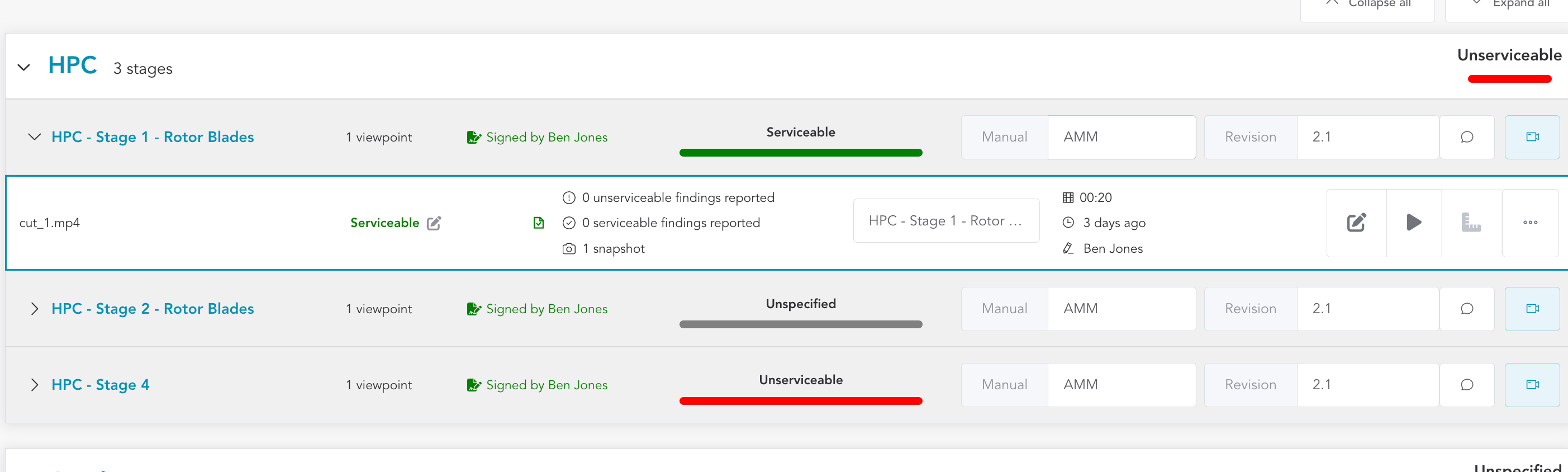
Signing Confirmation: Once you have successfully authenticated, each stage will now display that it has been signed by you, indicating your accountability and approval.
Email Alert : You will also be notified via email about the signing of the stage for your reference.
Signature Validity: It's important to note that any subsequent changes to the inspection results (E.g. adding a new finding, changing status etc.) will invalidate the digital signature. In such cases, you will be required to re-sign the affected stages to ensure the accuracy and integrity of the inspection data.

Collaboration and signing stages are essential steps in the inspection process, ensuring that the inspection results are accurate, verified, and ready for inclusion in the final inspection report.
