
Aiir empowers you to collaborate with colleagues or customers in real-time by offering them a live view of the inspection through the Inspection Broadcasting feature. Here's how to use it:
Navigate to the 'Inspection Overview,' and locate the 'Broadcast Inspection' option on the top-right corner. Activate this option to enable broadcasting for the inspection.
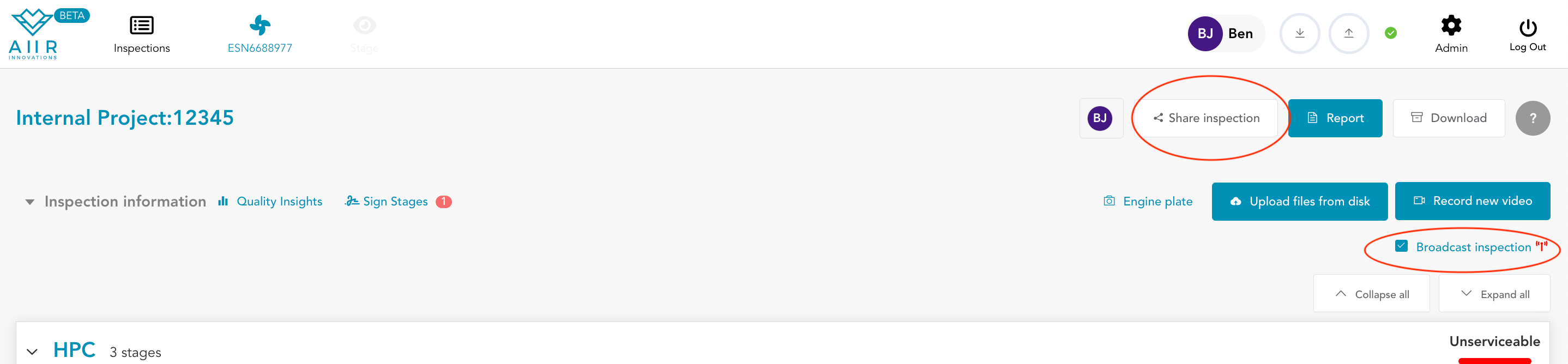
Click on 'Share Inspection' to allow guest access to the inspection. Inspections can include both Aiir users and external parties.
Depending on your settings, you can create anonymous share links that can be used by anyone or give guest access to specific email addresses.

You have the flexibility to set a role according to your needs. After configuring the permissions, click Generate link to receive a link that can be shared. In the case of sharing inspections with specific email addresses, click Send invitations to invite guests.
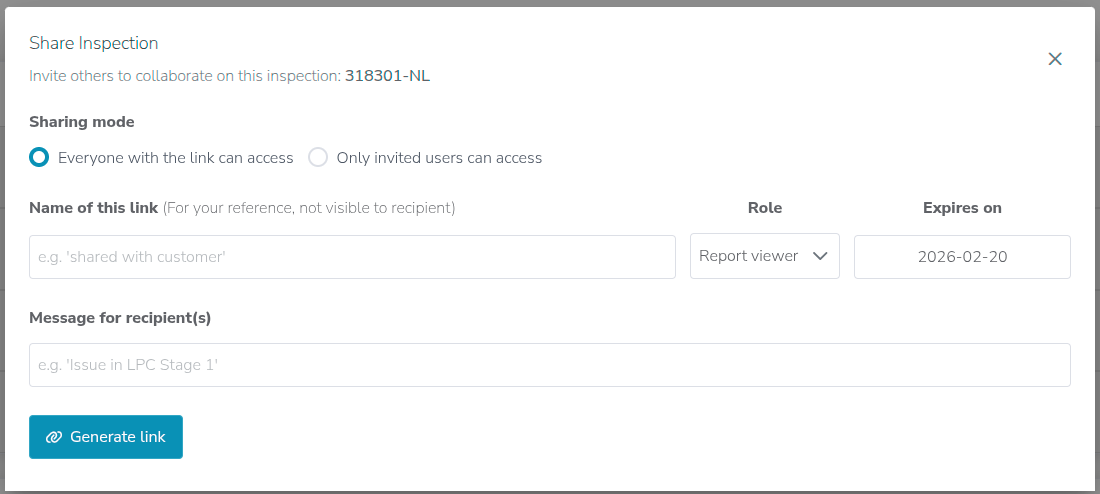
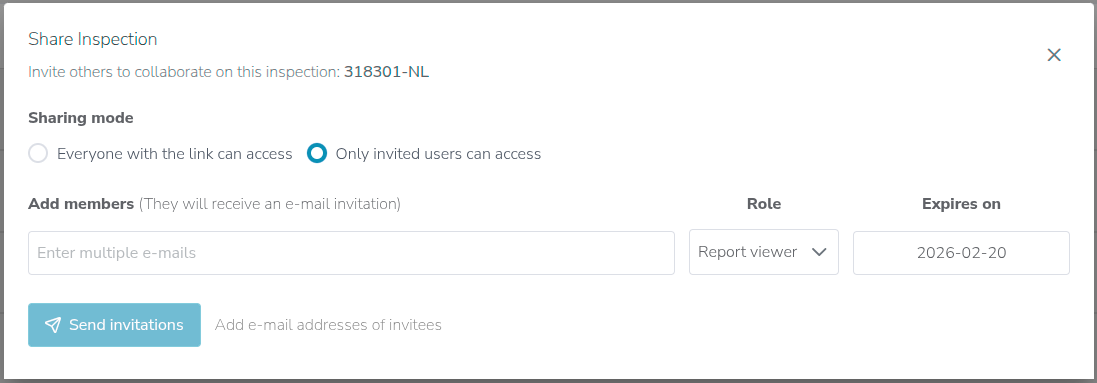
When the participants click on the share link, they will be directed to the Inspection Overview. Here, they will find an option to 'View Broadcast.'

All guests can observe the live inspection. However, those with Data contributor rights or higher permissions can also create Flags to capture observations they wish to highlight.

Inspection broadcasting simplifies remote participation, allowing individuals to contribute effectively to the inspection process from anywhere, ensuring a thorough and high-quality examination.
