
Before proceeding with the inspection, it's crucial to verify the borescope's calibration and record the results. Here are the steps to follow to add borescope verification details :
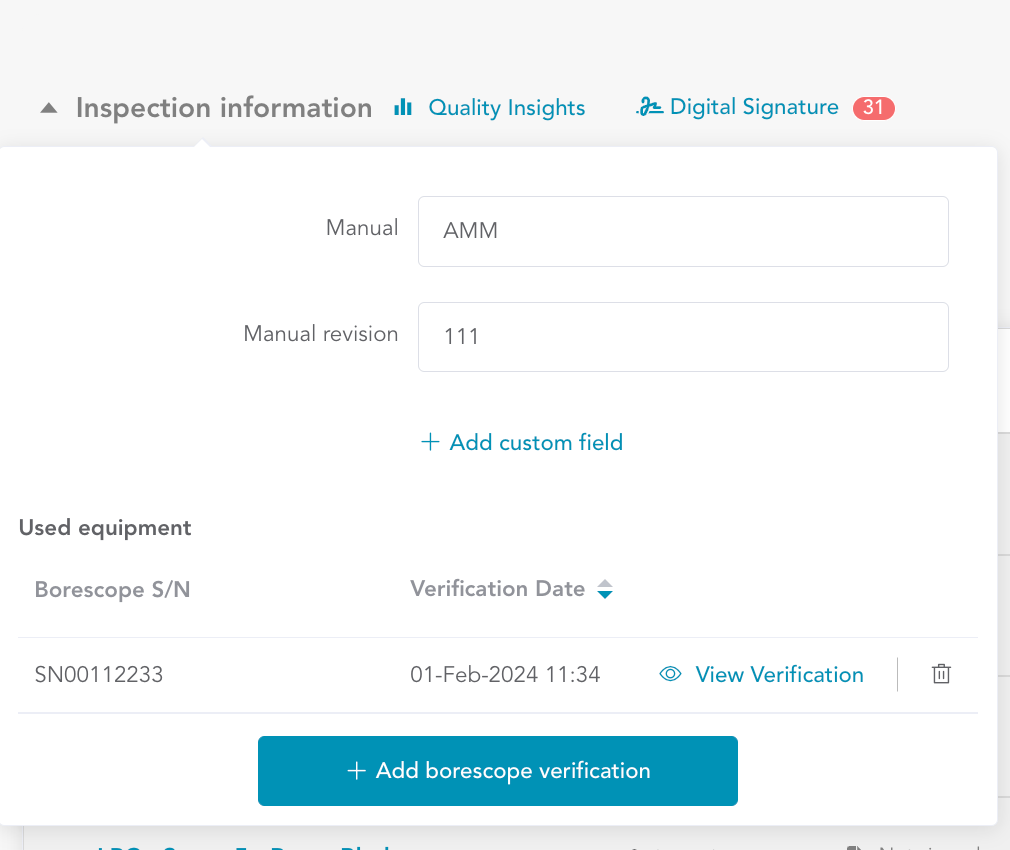
Access Borescope Verification: In the Aiir application, navigate to the 'Borescope Verification' section by clicking on the 'Inspection Information' button and scrolling down. Here, you can view a list of previous borescope verifications. If it's your first time, click on the "Add Borescope Verification" button to initiate the Borescope verification wizard.
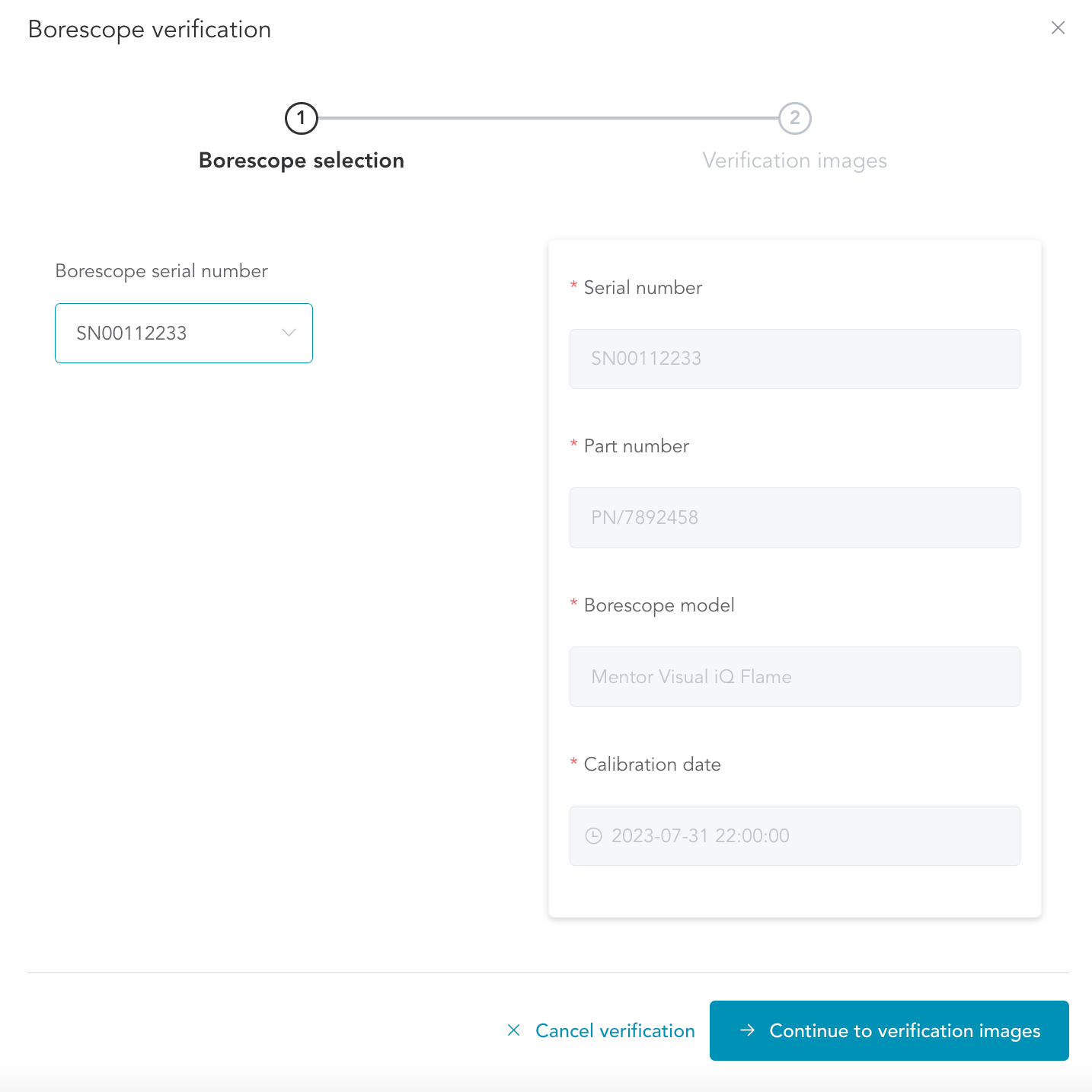
Add Borescope Information: Enter essential details about your borescope, such as its serial number, part number, model, and calibration date. Click 'Continue to Verification' to proceed.
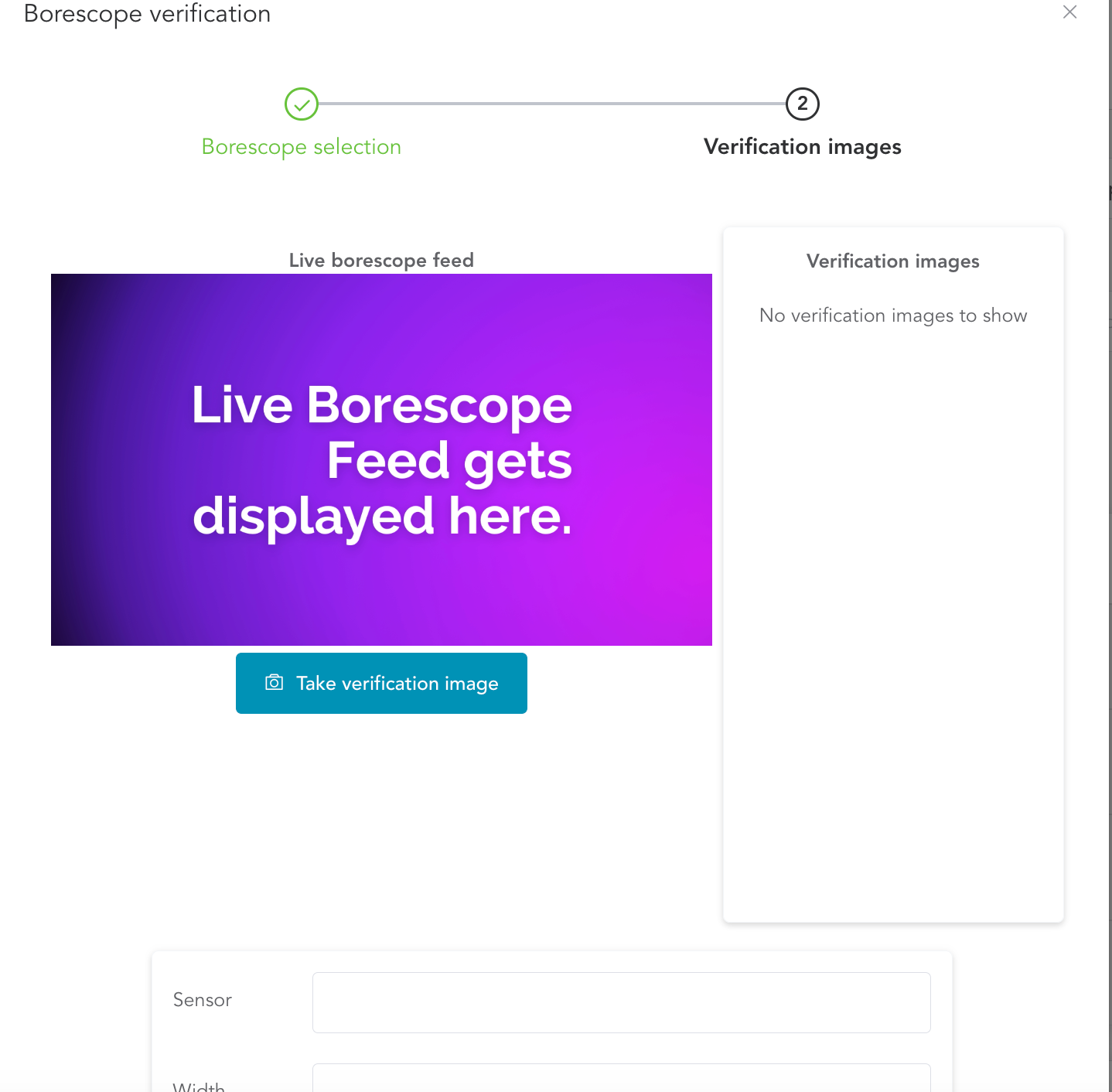
Capture Verification Image: If the borescope is properly connected, you will be directed to the borescope live feed. When ready, capture a borescope calibration image by clicking 'Take Verification Image.'
Enter Additional Details: Provide other relevant information, including sensor details, width, height, and any remarks. Then, click 'Complete Verification.'
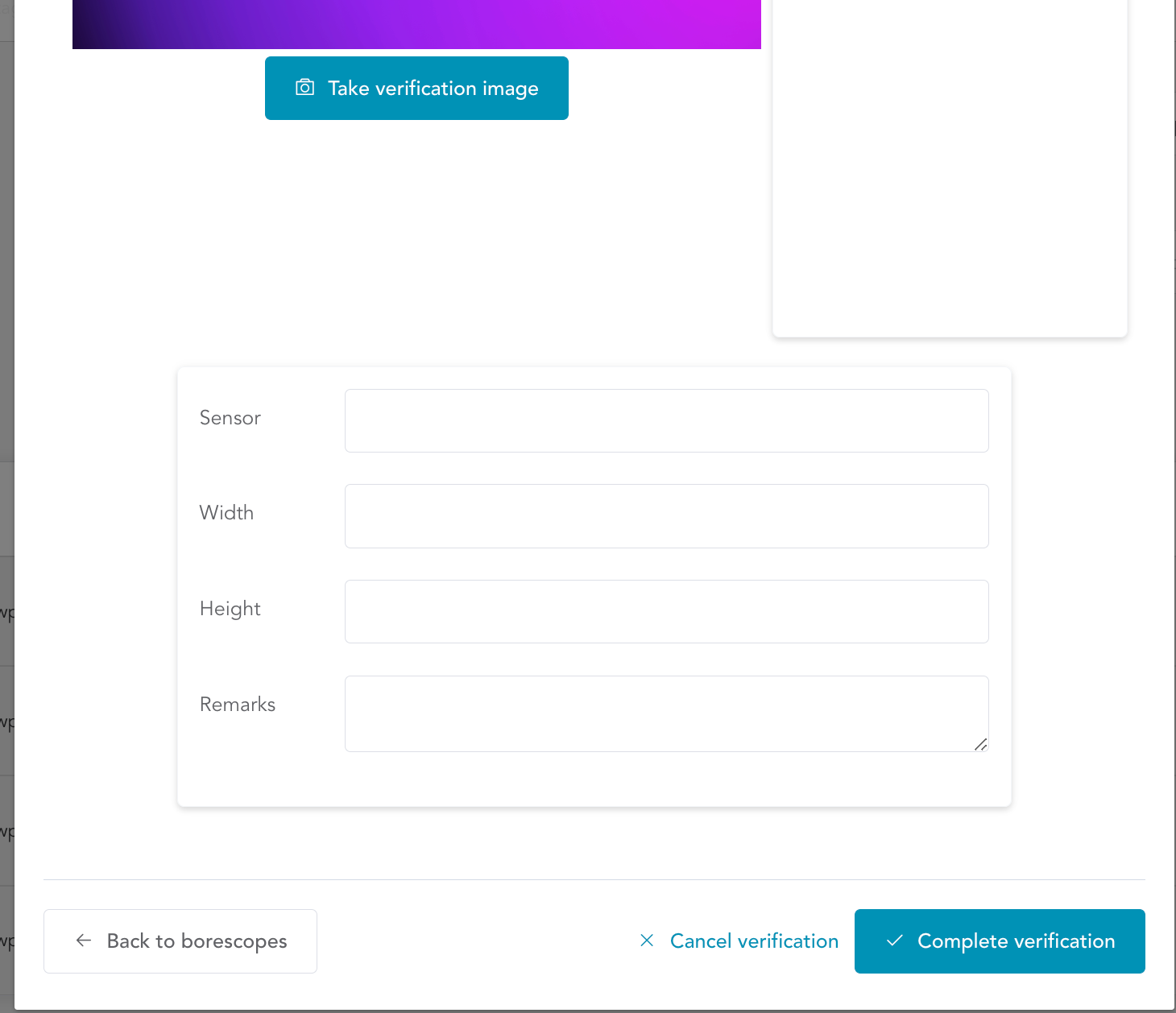
This process will add the Borescope verification to your inspection record. Ensure that the borescope is correctly calibrated, as any discrepancies can impact inspection accuracy. Record these verification details within the application for future reference and reporting.
Add Borescope Information: Enter essential details about your borescope, such as its serial number, part number, model, and calibration date. Click 'Complete Verification' to proceed.
