
For complete reporting, it is possible to include the Engine Data Plat or the Aircraft Tail Sign in the report. It is also possible to include neither. This is a setting that can be turned on by contacting your Aiir Account Manager.
If either is turned on, it can be included via the overview. In the example below, the Engine Data Plate can be added. If the Aircraft Tail Sign is required, the text will state A/C Tail Sign instead.
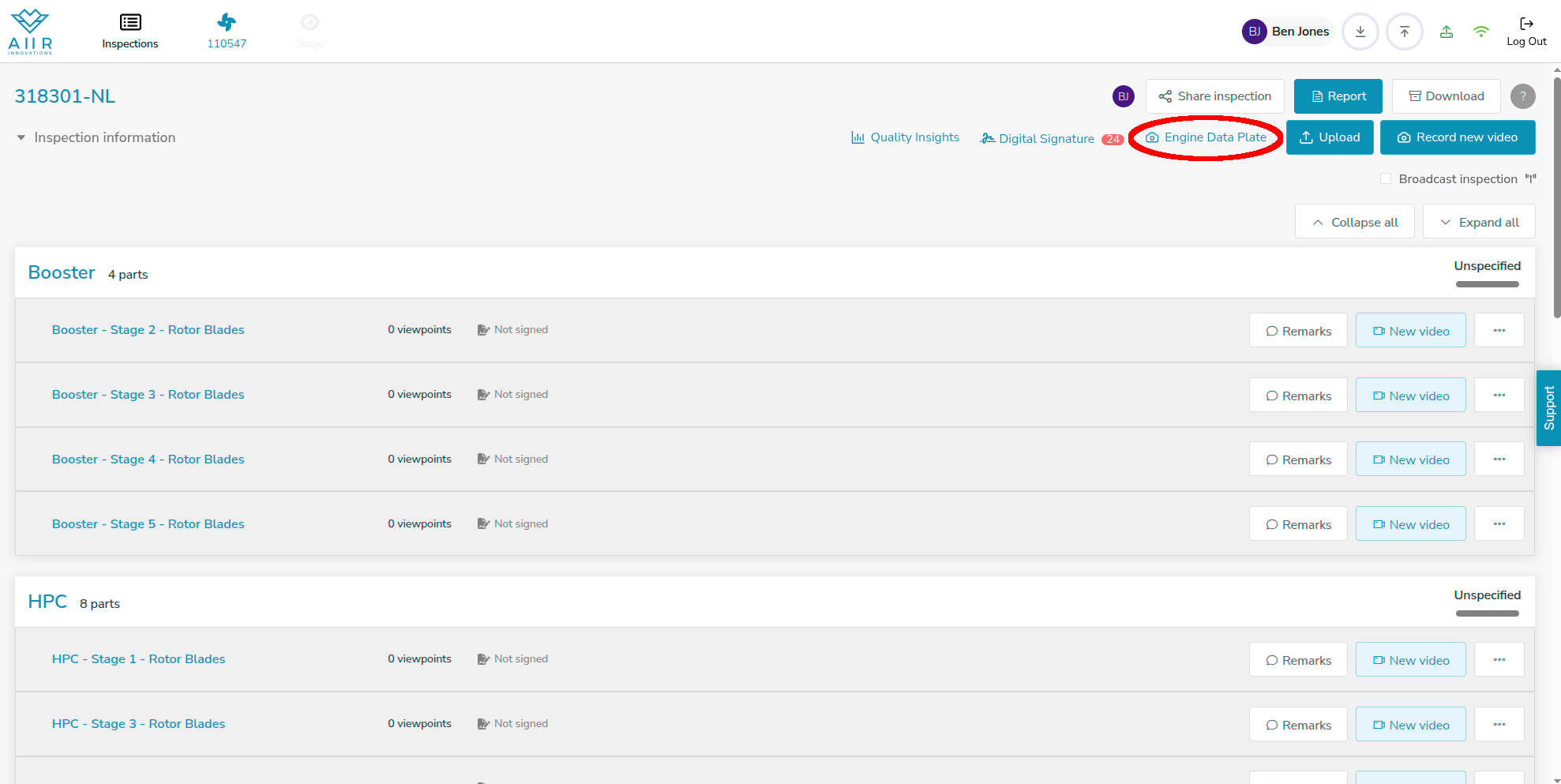
To include either, follow the following steps:
Click on the button: Within the Aiir application, locate and click on the 'Engine Plate' or ‘A/C Tail Sign’ button. This action will allow you to capture or upload a snapshot of the Engine Data Plate or Aircraft Tail Sign.

Capture or Upload: Depending on your preference, you can either capture a new image using your device's camera or upload an existing image from your files.
After capturing your image it is immediately saved. It is expected that there is only one Engine Data Plate or Aircraft Tail Sign. Therefore, you can delete and replace this images, but not add more.
